
AutoClick Pro: Macro Recorder & Input Automation



Описание
AutoClick Pro is an auto clicker, macro recorder and scripting tool that can also see your screen. Click at any speed, record and edit macros, write scripts, wait for something to appear and click it, and launch any of it from a spare mouse button, a key or a controller. It runs natively on Windows, SteamOS and Linux.
Key Features
Precision Auto Clicker
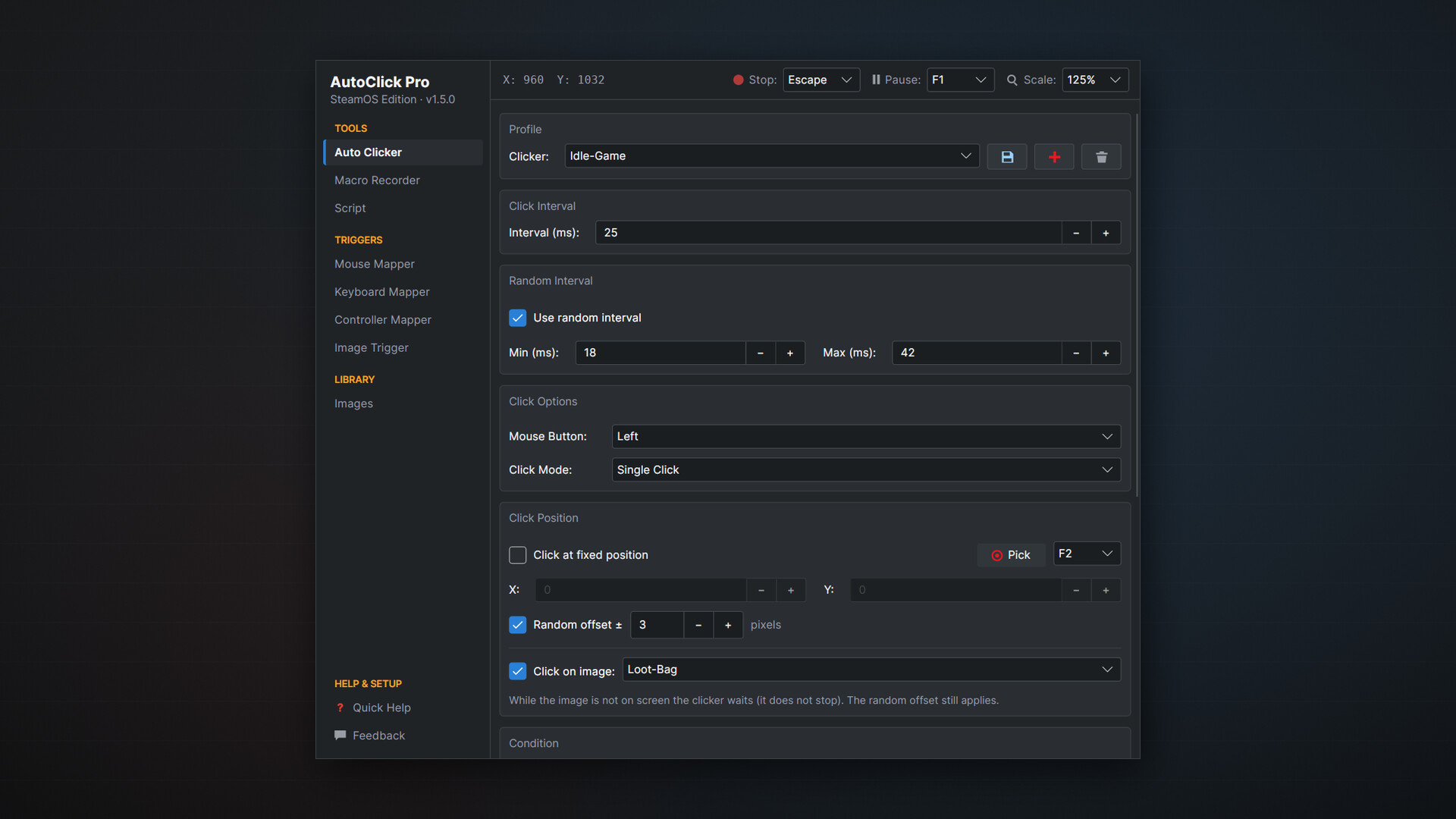
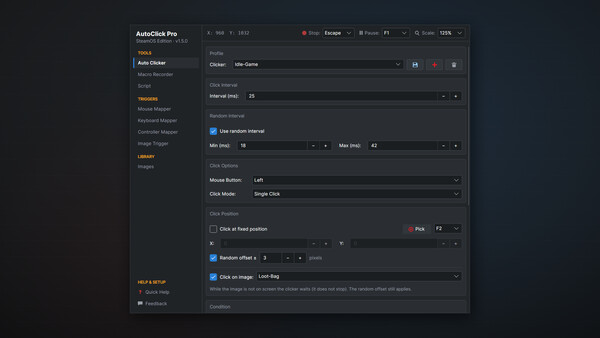
Click intervals from 1 millisecond to one hour, or a random range between a minimum and a maximum. Left, right or middle button, single or double click, at the cursor or at a fixed position with an optional random offset. Stop after a set number of clicks or run until stopped, with session and total counters.
Image and Pixel Detection
Capture a small picture of anything on screen (a button, an icon, a loot drop, a quest marker) and every tool can react to it. Capture from a frozen screen with a magnifier, so a moving game is as easy to capture as a still one, or import a PNG. Each image has its own color tolerance, minimum match, search area and click point, and Test shows where it was found and how well. When the image is not there, AutoClick Pro says so instead of clicking a near miss.
Image Trigger
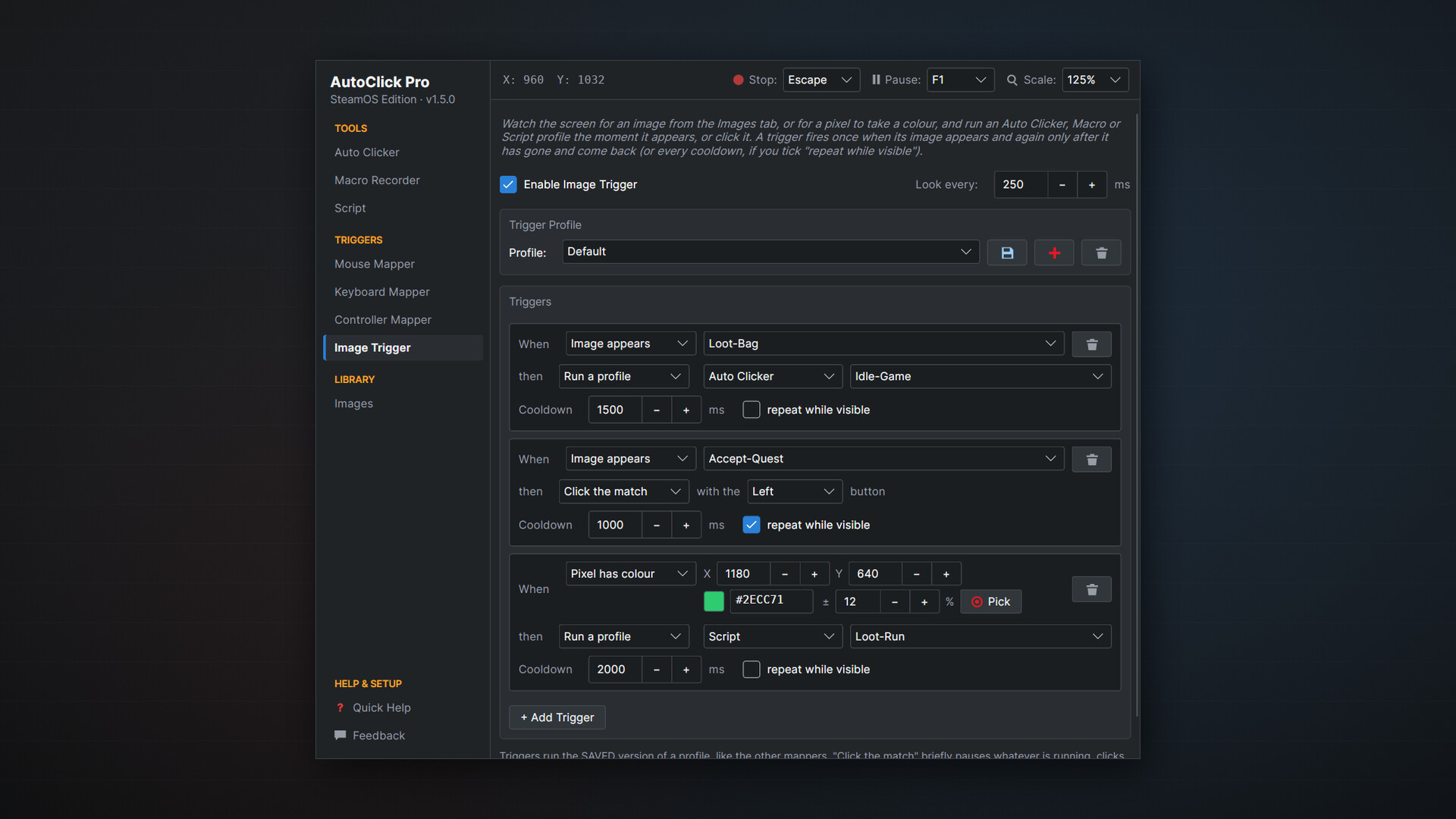
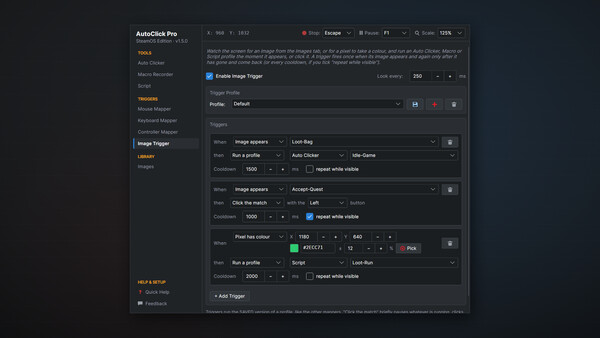
When an image appears, or a pixel turns a color, run an Auto Clicker, Macro or Script profile, or simply click it. It fires once when the image appears, with a cooldown, and keeps watching while everything else runs.
Macro Recorder and Macro Editor
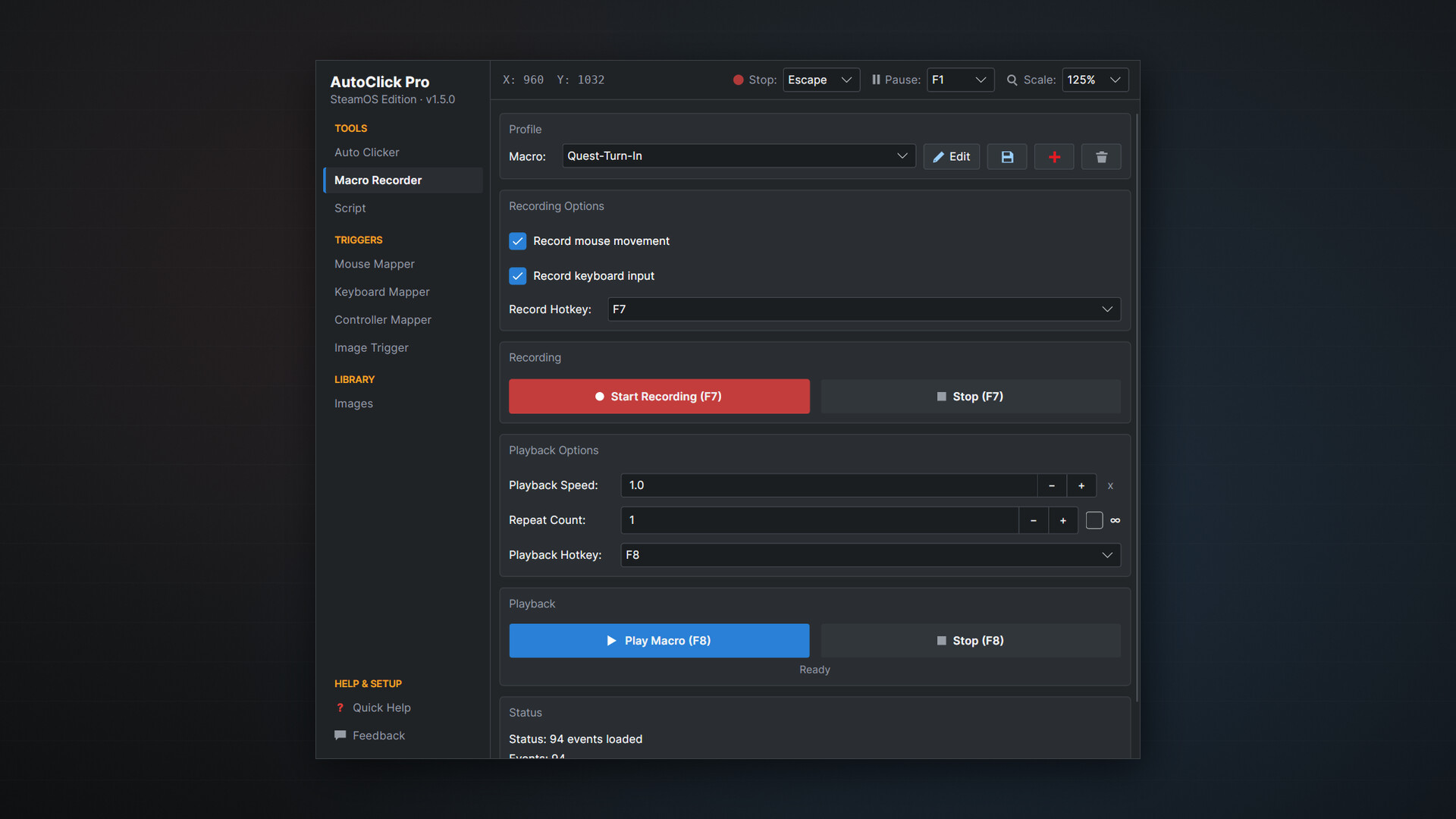
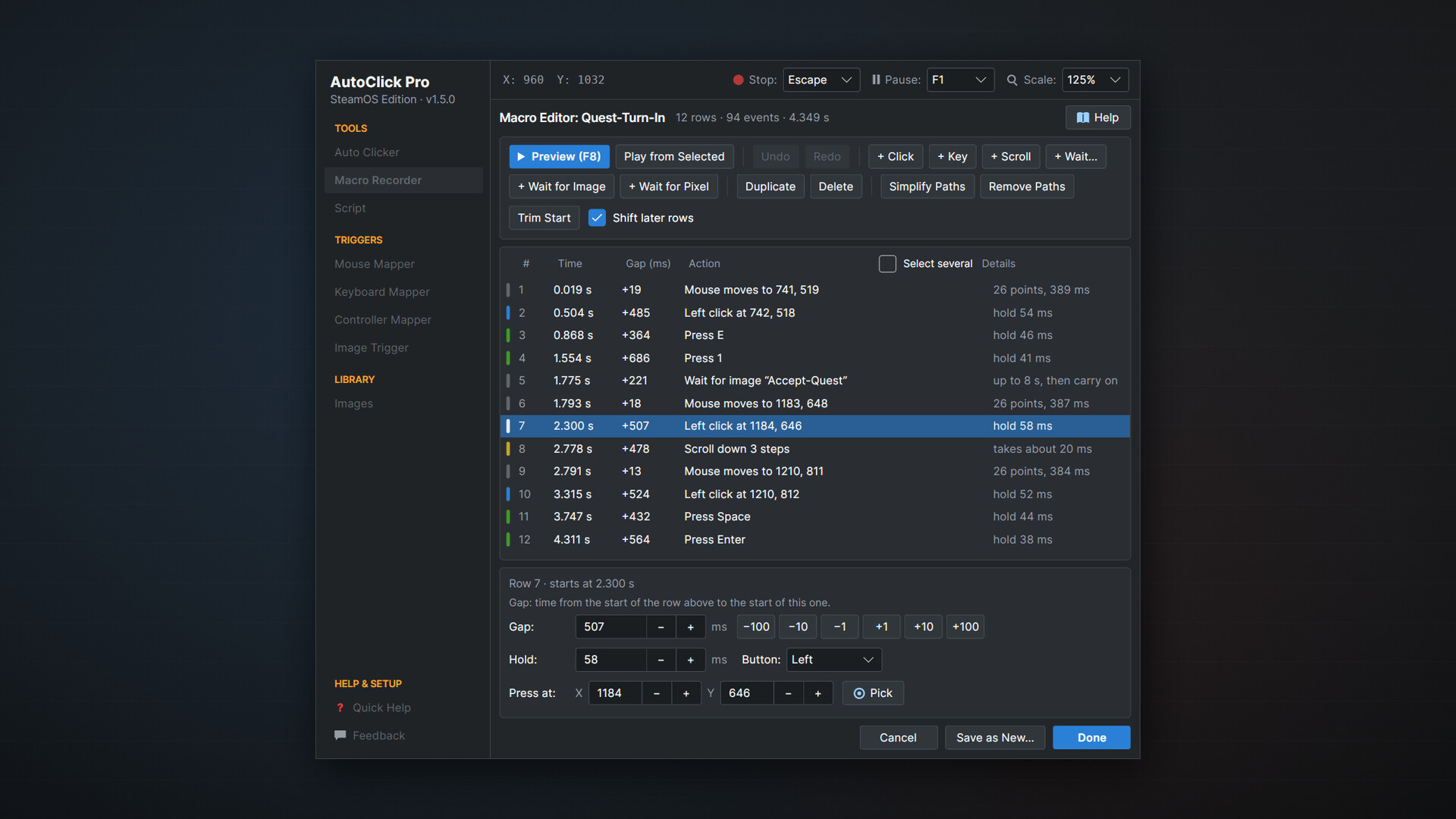
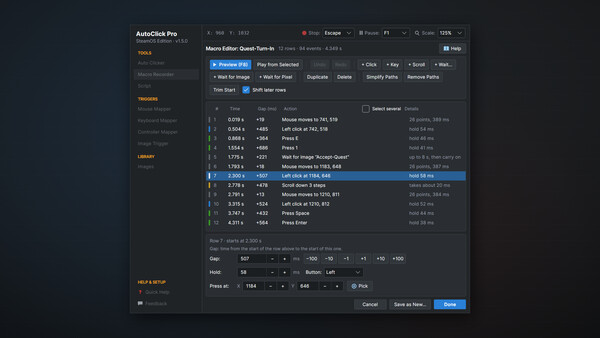
Record mouse movement, clicks, scrolls and keys with their original timing. Play back at any speed from 0.1x to 10x, once, a set number of times or in a loop. Open any recording in the Macro Editor to set a gap to the millisecond, move a click, change a key, add a step or wait for an image, then preview it before you keep it. Undo, Redo and Save as New make variations easy.
Scripting Engine
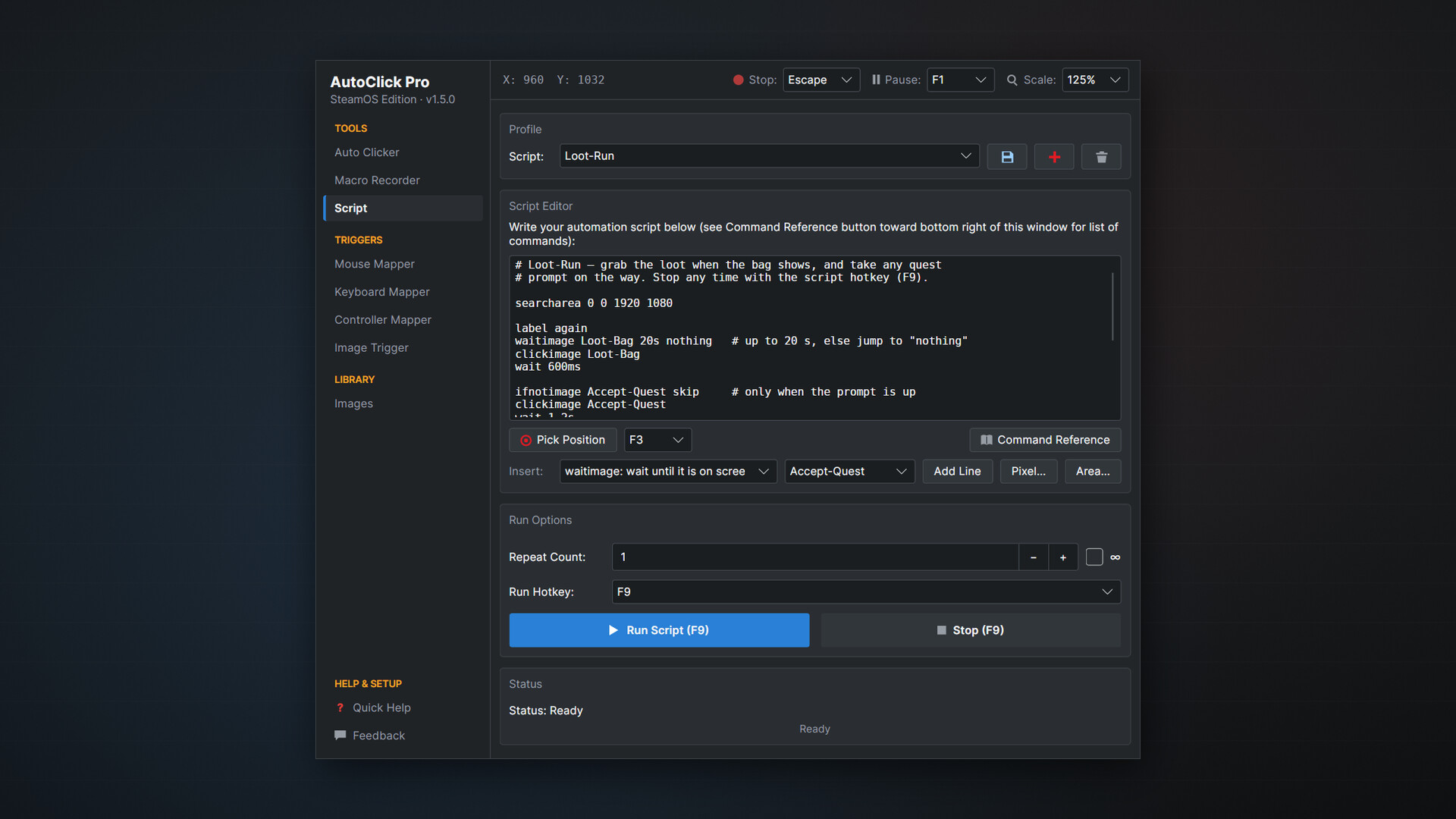
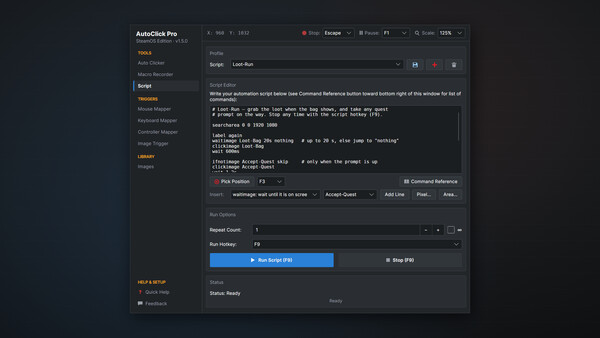
Simple commands for clicks, movement, keys, typing, waits, loops, labels and goto, plus commands that wait for an image, click it, or branch on whether it is there. A run log shows what each line saw, and a built-in command reference and worked examples get you started.
Mouse, Keyboard and Controller Mappers
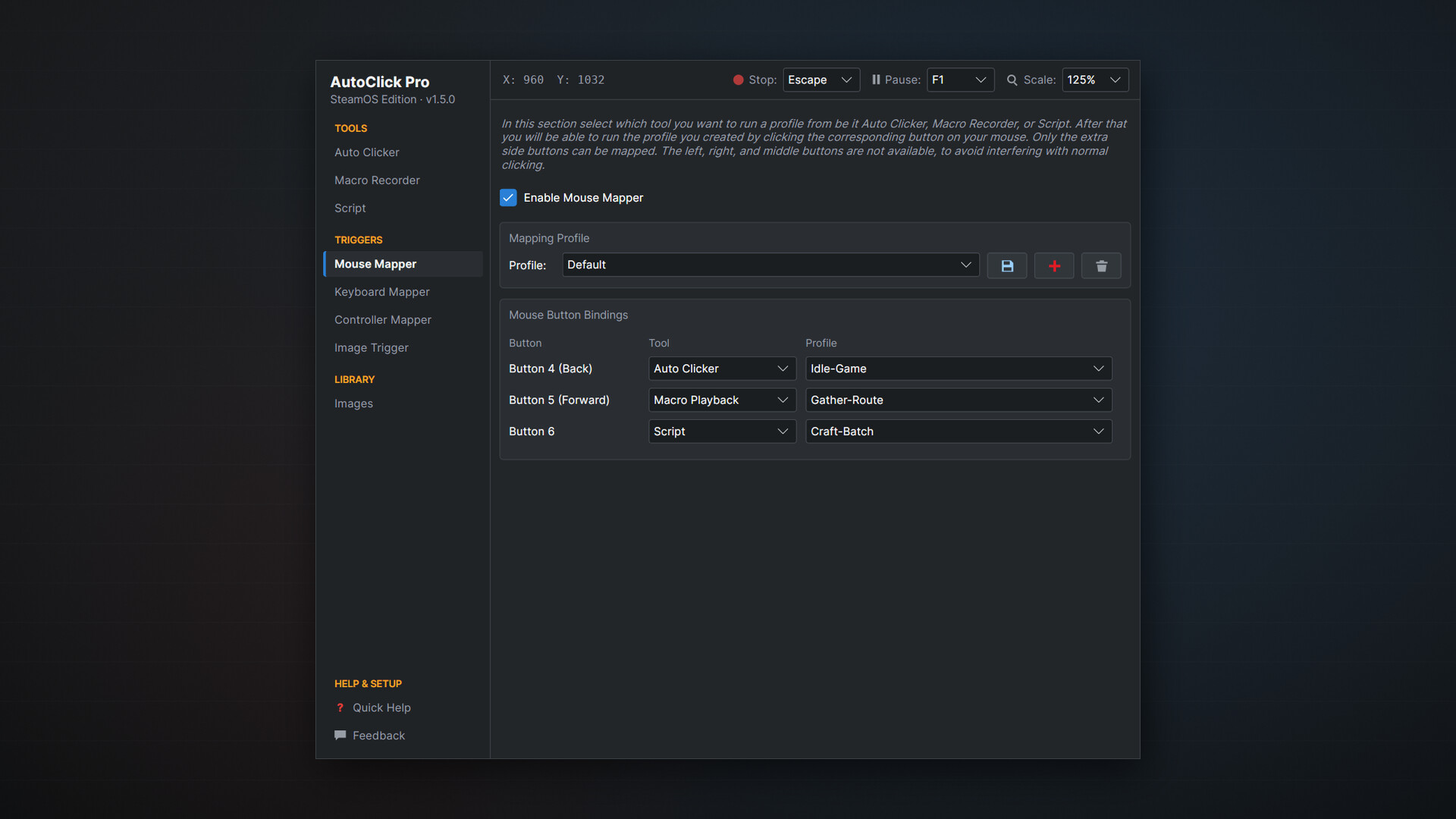
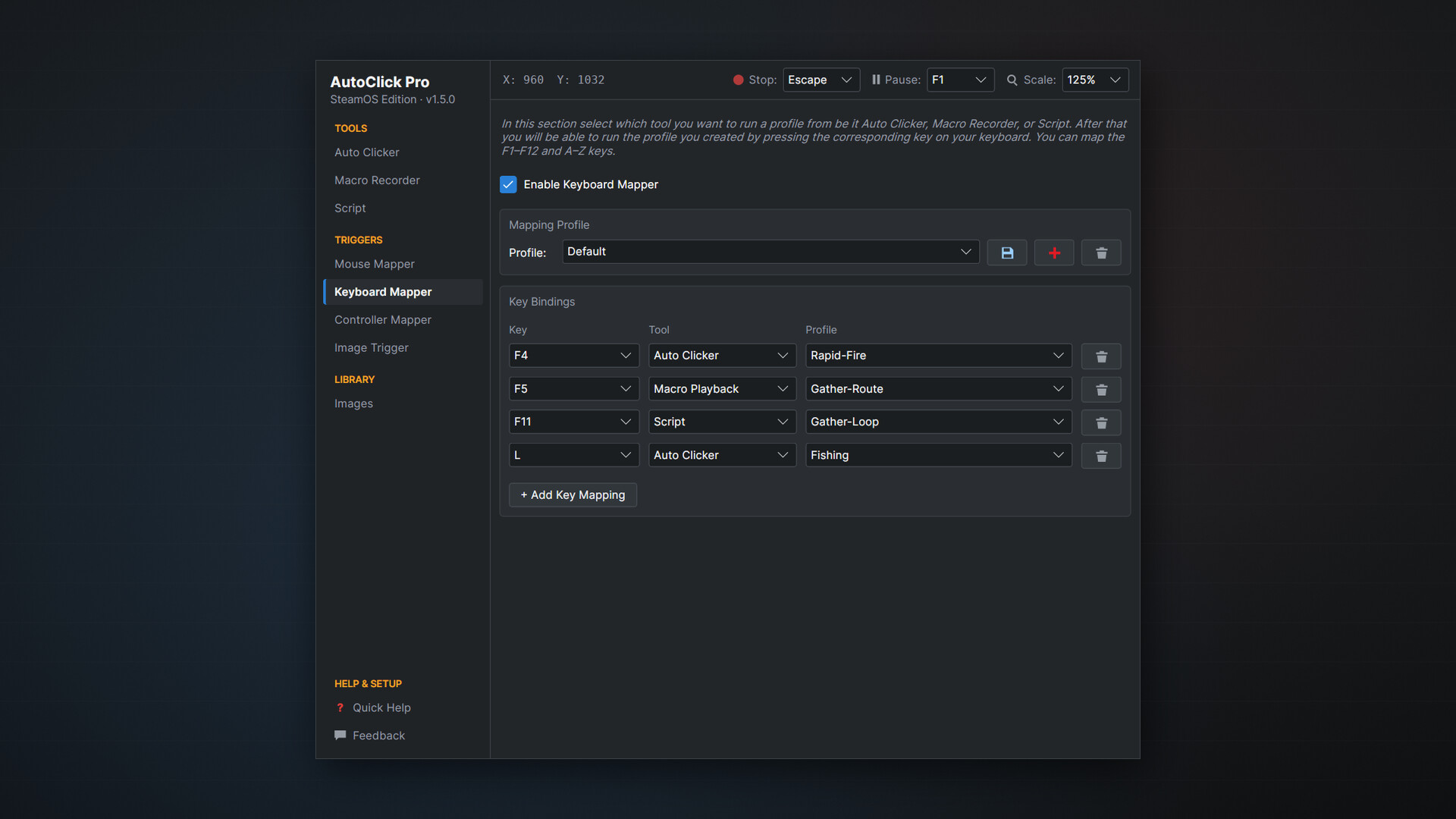
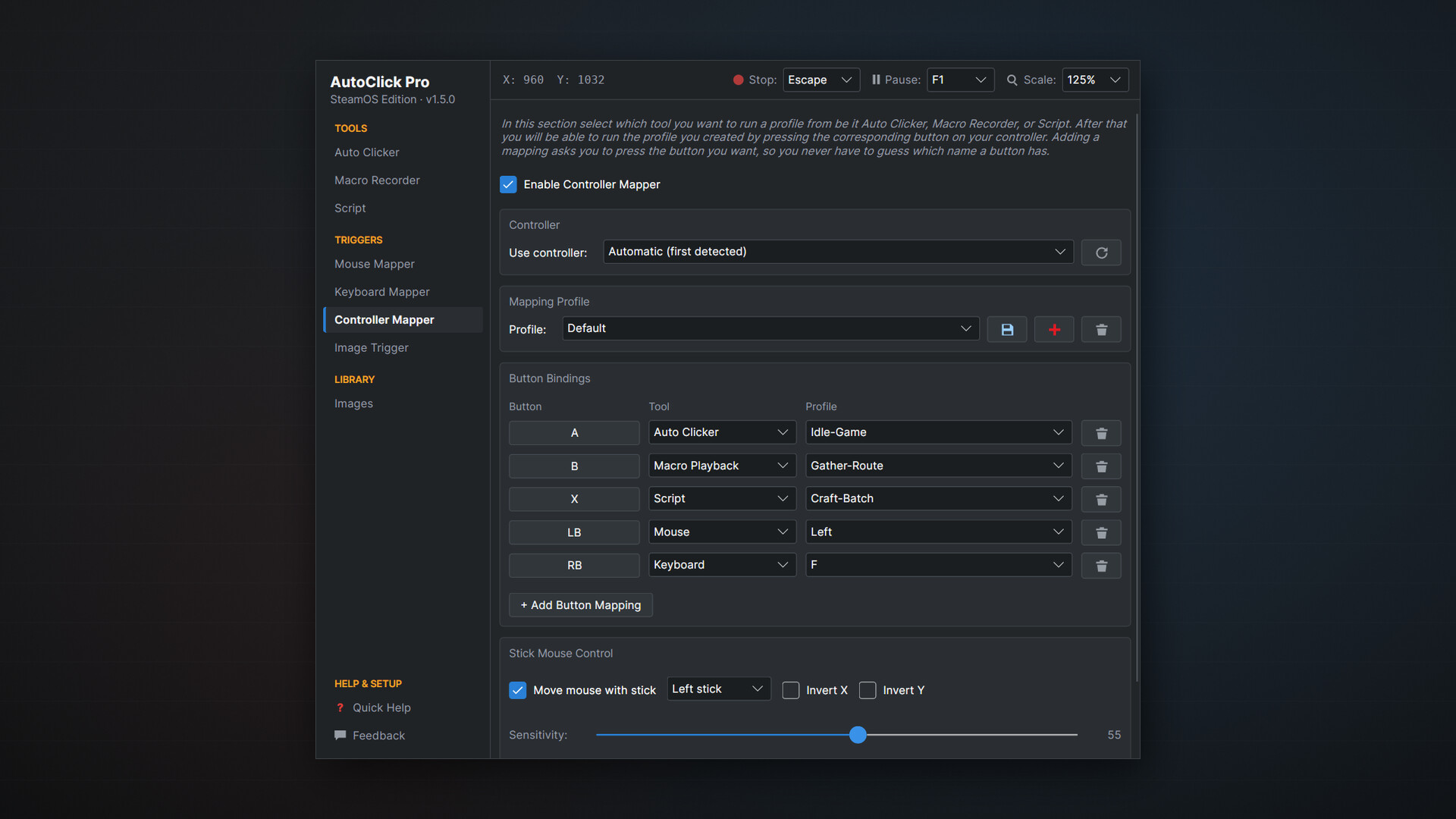
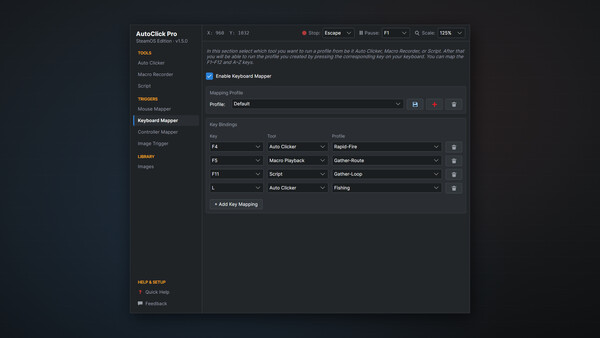
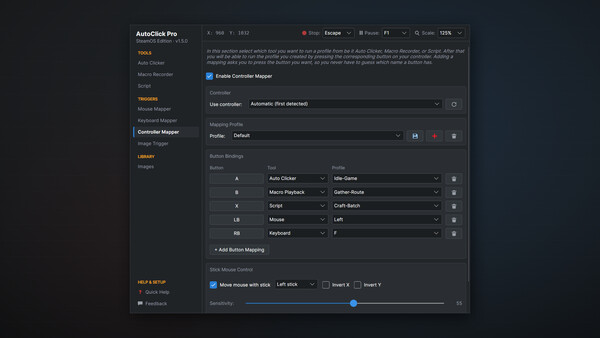
Run any saved clicker, macro or script from a spare mouse button, an F-key or letter, or a gamepad button. Press to start, press again to stop. Save whole sets of bindings per game or app. Binding a controller button is as simple as pressing it, and Xbox-style and DirectInput pads both work.
Stick-to-Mouse Control
Move the cursor with either analog stick, with adjustable sensitivity, dead zone and inversion.
Global Hotkeys, Pause and Emergency Stop
Start, stop, pause, record and play from configurable hotkeys that work behind full-screen games. Pause resumes exactly where it left off, and Emergency Stop halts everything and releases any held buttons and keys.
Background and Tray Mode
Minimize to the system tray and keep everything running behind your game. Hotkeys, mappers and the Image Trigger stay active while the window is hidden.
Profiles
Unlimited profiles for clicker setups, macros, scripts, mappings and triggers, switched from a dropdown. Profiles are interchangeable between Windows and Linux.
Windows, SteamOS and Linux
One purchase covers every platform. Native on Windows 10 and 11, on SteamOS in Desktop Mode, and on Linux under X11 and Wayland. On KDE Plasma (including SteamOS) and GNOME it reads the real cursor position, so recording and playback are pixel-accurate. The interface scales from 70% to 150%.
Why AutoClick Pro?
No ads, no telemetry, no accounts. Everything runs locally, and screen reading never records or uploads anything.
Lightweight and fast, with minimal system requirements.
Full controller support, from button mappings to cursor control.
Simple enough for beginners, powerful enough for real automation.
Whether you are automating repetitive tasks, testing a workflow or just need a reliable auto clicker that knows what is on screen, AutoClick Pro is the complete desktop automation tool for Windows, SteamOS and Linux.
Системные требования
WINDOWS:
- 64-разрядные процессор и операционная система
- ОС: Windows 10/11
- Процессор: Any Modern x86_64 Processor
- Оперативная память: 256 MB ОЗУ
- Видеокарта: Any GPU supported by Windows 10/11
- Место на диске: 100 MB
- 64-разрядные процессор и операционная система
- ОС: Windows 10/11
- Процессор: Any Modern x86_64 Processor
- Оперативная память: 512 MB ОЗУ
- Видеокарта: Any GPU supported by Windows 10/11
- Место на диске: 100 MB
LINUX:
- ОС: SteamOS/Linux
- Процессор: Any modern x86_64 processor
- Оперативная память: 256 MB ОЗУ
- Видеокарта: Any GPU supported by SteamOS/Linux
- Место на диске: 100 MB
- Дополнительно: On Wayland, user must be in the input group for macro recording and global hotkeys.
- ОС: SteamOS/Linux
- Процессор: Any modern x86_64 processor
- Оперативная память: 512 MB ОЗУ
- Видеокарта: Any GPU supported by SteamOS/Linux
- Место на диске: 100 MB
- Дополнительно: On Wayland, user must be in the input group for macro recording and global hotkeys.


