Desktop Overlays




Описание
Your desktop, but it's yours now
Drop a GIF of your favorite character onto your screen. Scale it, spin it, fade it, park it on the edge of your monitor. Then forget the editor exists. It just lives there.Images, GIFs and videos. As many as you want. Across every monitor you have.
And your mouse never notices. Every overlay is click-through, always. Nothing steals a click, nothing gets in the way of a double-click on a desktop icon.
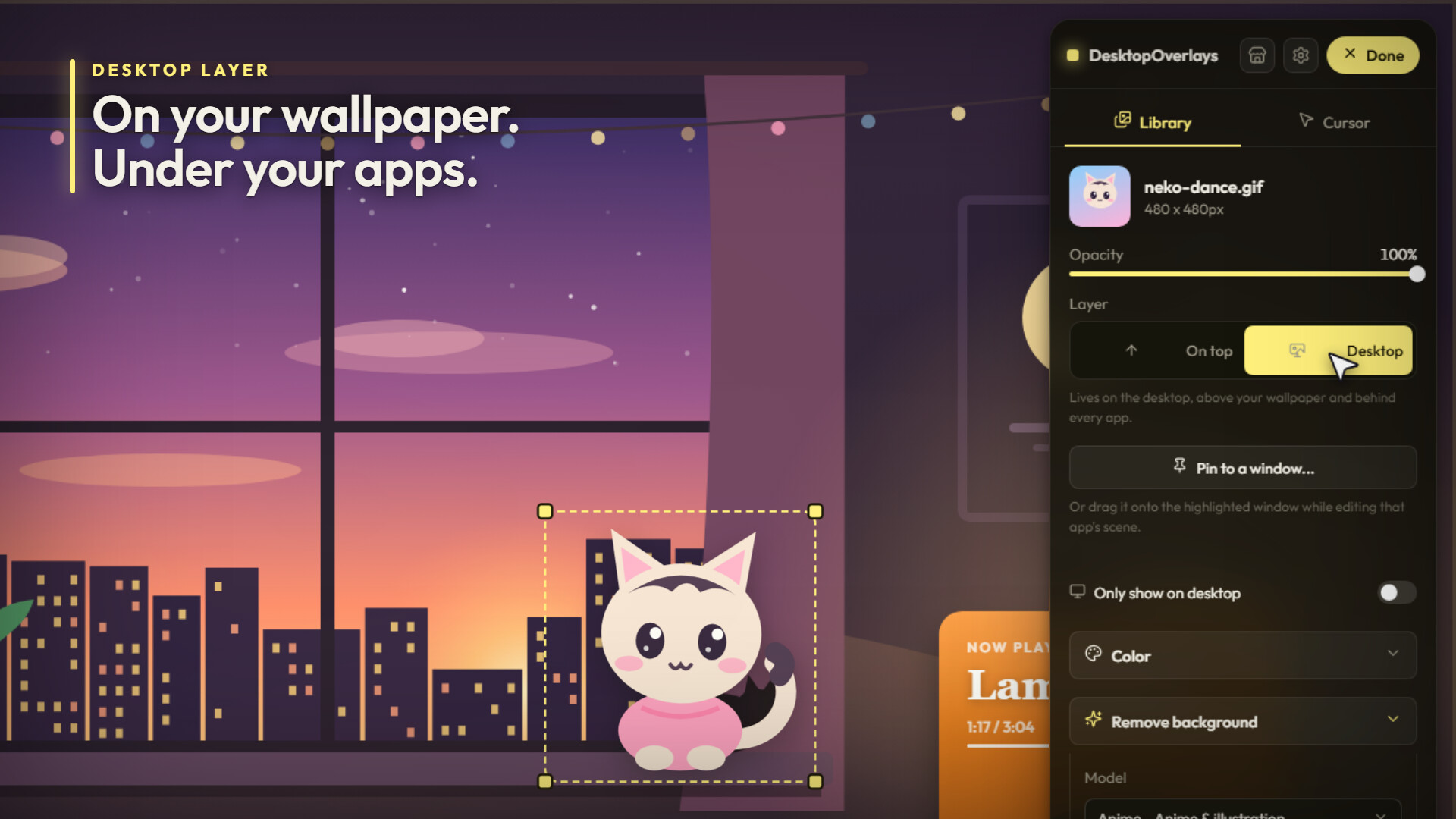
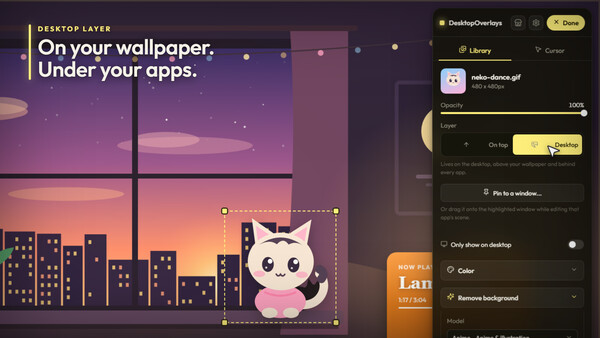
On your wallpaper. Behind your apps.
Every overlay picks a layer.On top floats above everything, taskbar included.
Desktop sits right on your wallpaper and desktop icons, animated wallpapers too, and slides under every window you open. Your character hangs out on the wallpaper. Open a browser and it tucks in behind, like a real part of the desktop.
Colors clash with your setup? Every overlay has a Color section. Pick any hex tint and choose how it lands: Recolor, Hue only, Multiply, Screen, Overlay or Soft light. Then push hue, saturation, brightness, contrast, blur and film grain until it matches. It's alpha-aware, so it recolors the character, not a box around it.
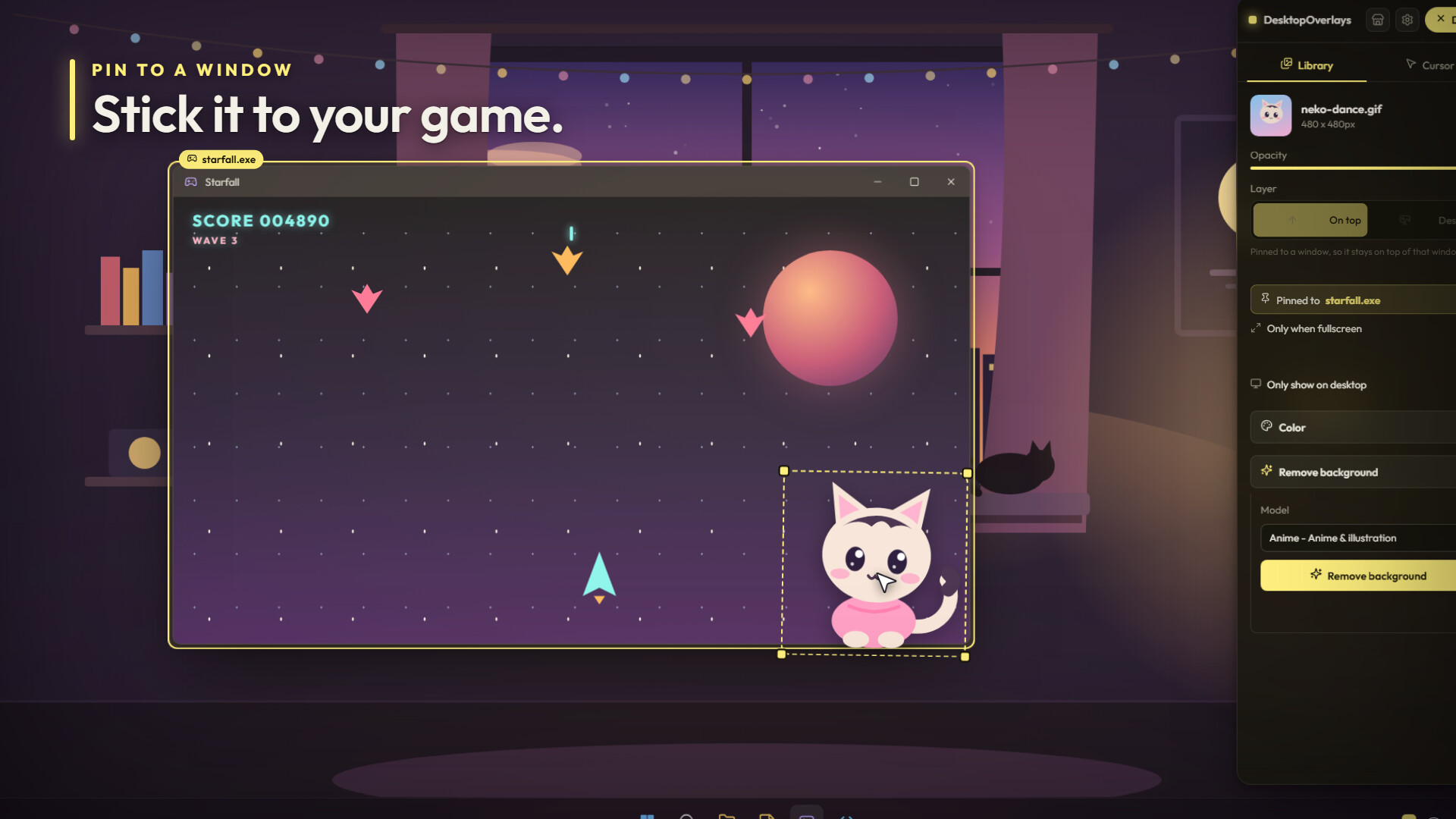
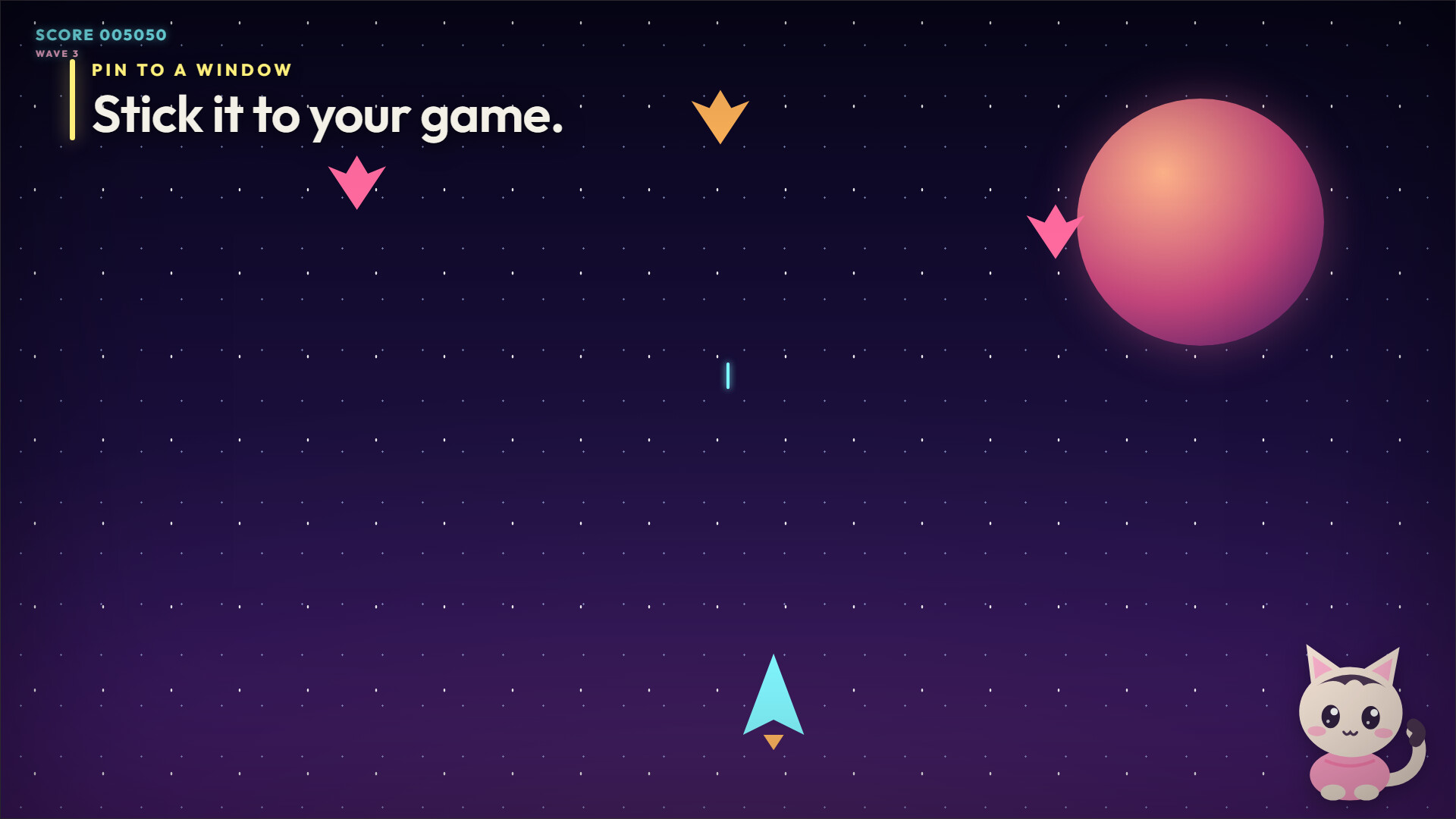
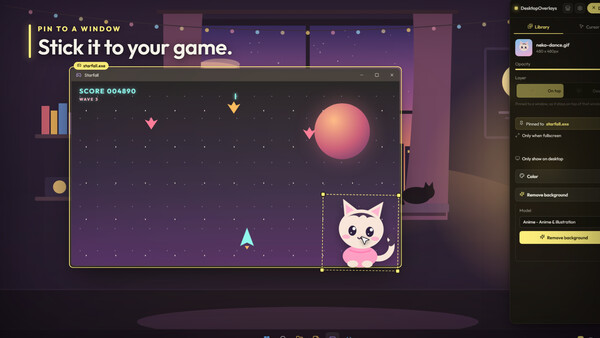
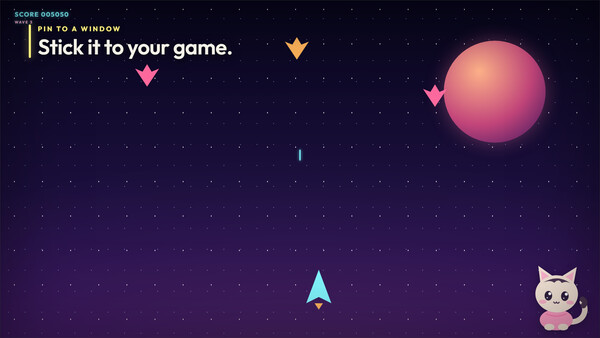
Stick it to a game
Click any app and pin an overlay to it. Move the window, the overlay follows. Minimize it, cover it, and the overlay disappears with it. Flip on "only when fullscreen" and it only shows up when the game goes big.A mascot riding the corner of your game. A frame hugging your editor. A reminder that only appears while one specific program is up.
Want it the other way around? "Only show on desktop" keeps an overlay for when you're looking at your desktop, and "Hide on fullscreen" clears the screen whenever a game takes over.
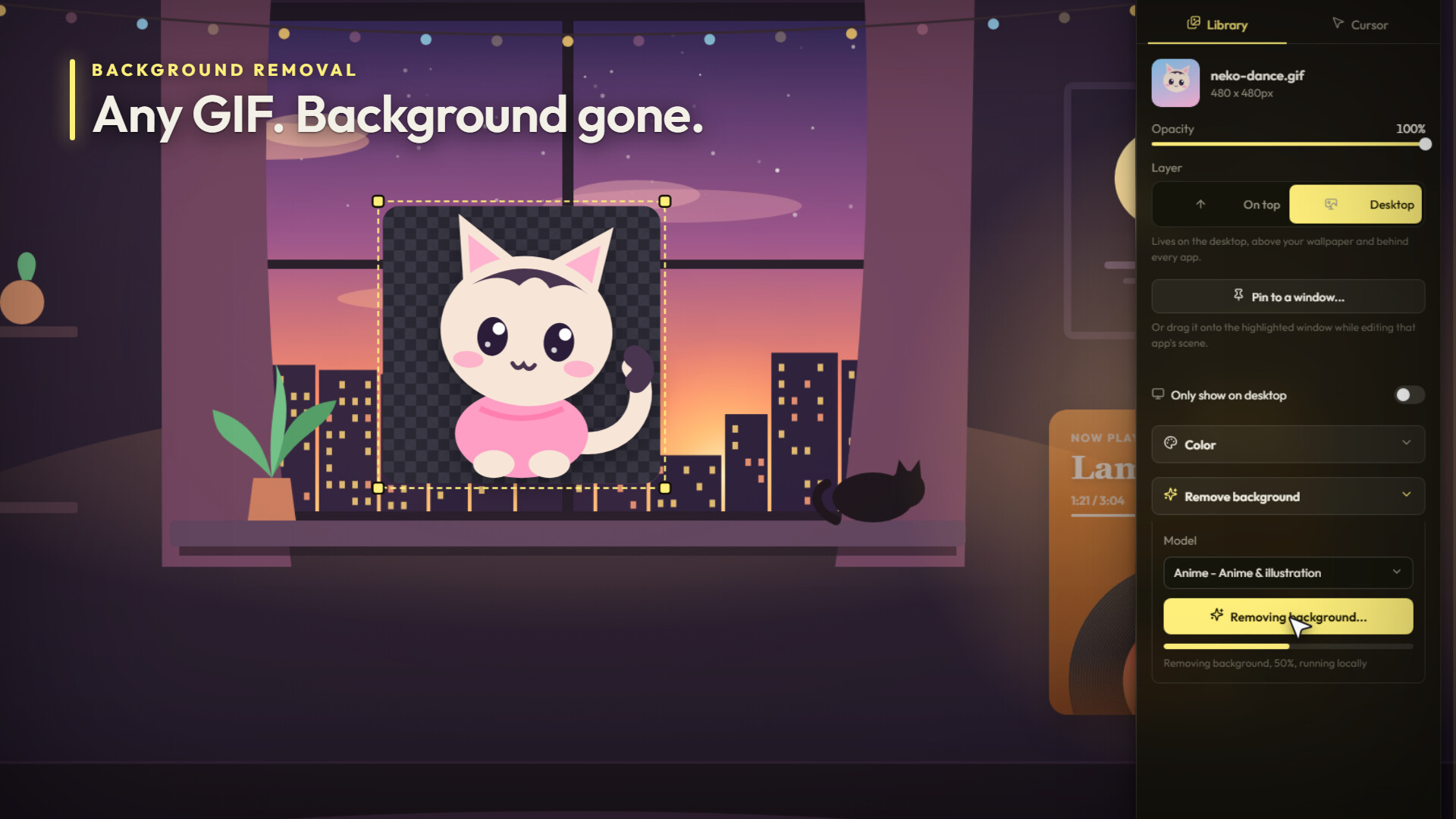
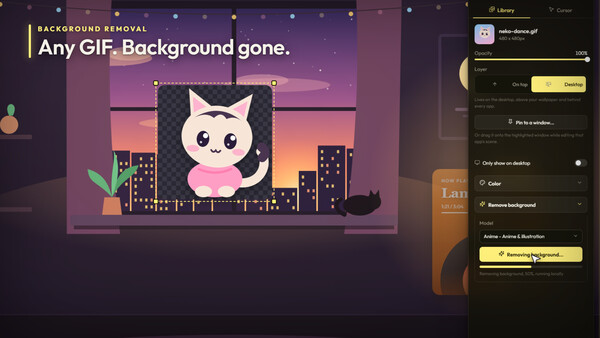
Backgrounds? Gone.
Found the perfect GIF but it's stuck in a gray box? Cut it out. Background removal runs right on your PC, no uploads, with a General model for photos and an Anime model for characters and illustrations.It works on images, GIFs and videos. Animated in, transparent animation out.
It hears your music
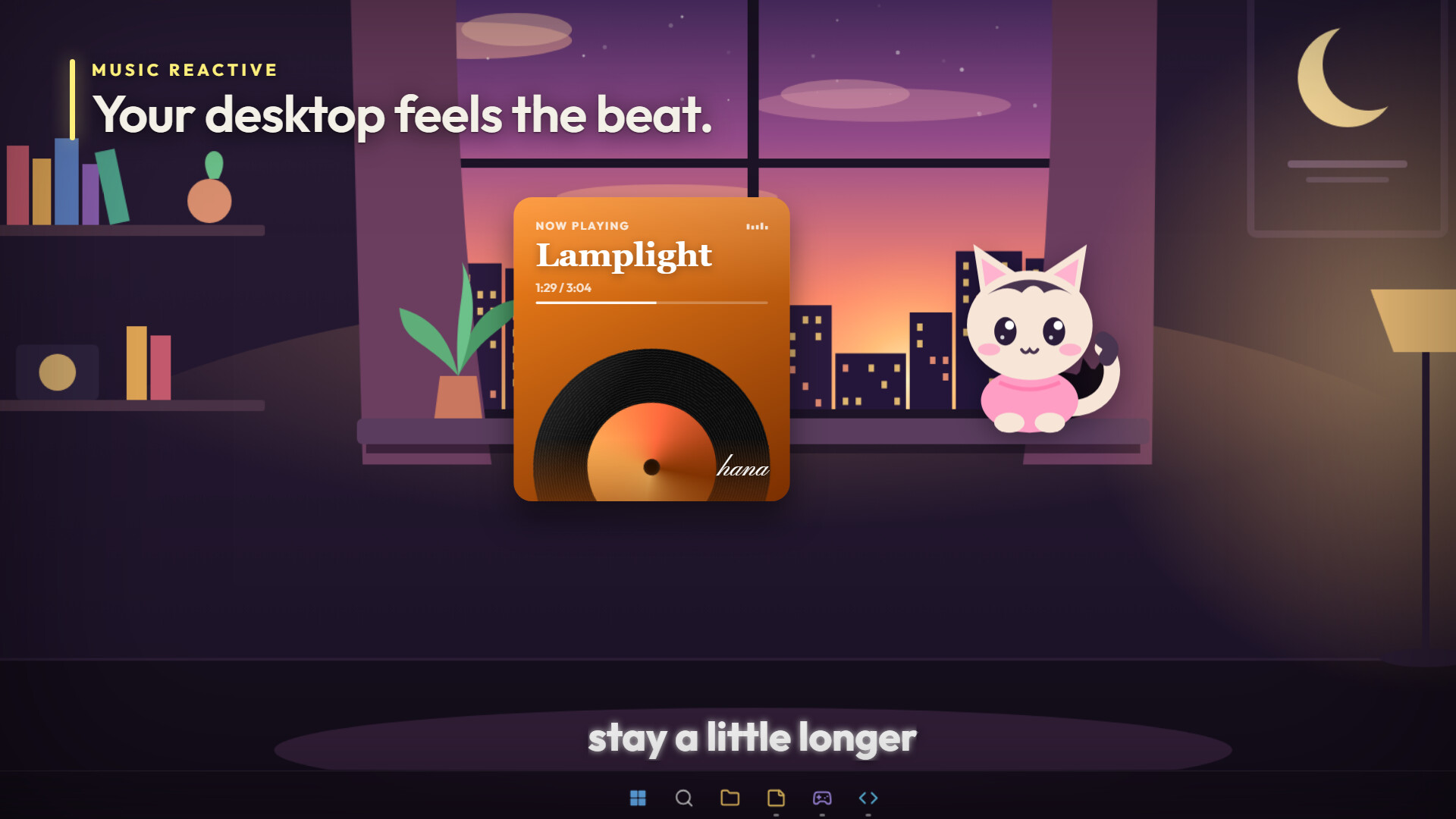
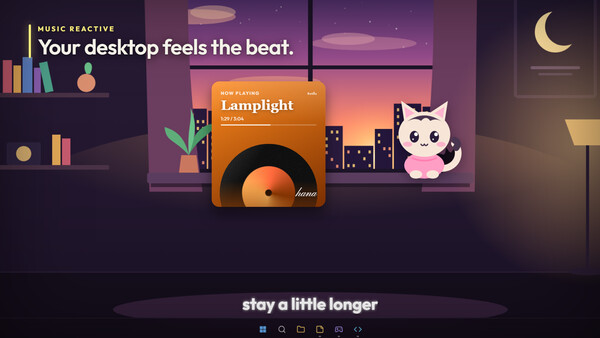
Overlays can read the sound coming out of your PC and move with every beat. They know what's playing too: title, artist, album and cover art.Three to start with:
- Vinyl Now Playing: a record that spins up when your song plays and coasts to a stop when you pause, with the album art on the label. The card tints itself to match the cover and the grooves catch the beat. Run it as the Classic card, a Turntable with a tonearm that tracks the song, a Compact bar, or Record only.
- Lyrics Ticker: synced lyrics lighting up word by word. Keep it as a one-line ticker above your taskbar, switch to two-line Karaoke, or pick Scrolling lyrics for the full song rolling past.
- Audio Visualizer: bars along the bottom of your screen with peak caps on top. Or a Ring that pulses with the bass, a smooth Curve, or an LED meter. Color it solid, with a gradient, or straight from the album art. When the music stops, it fades out on its own.
Widgets that feel like part of the room
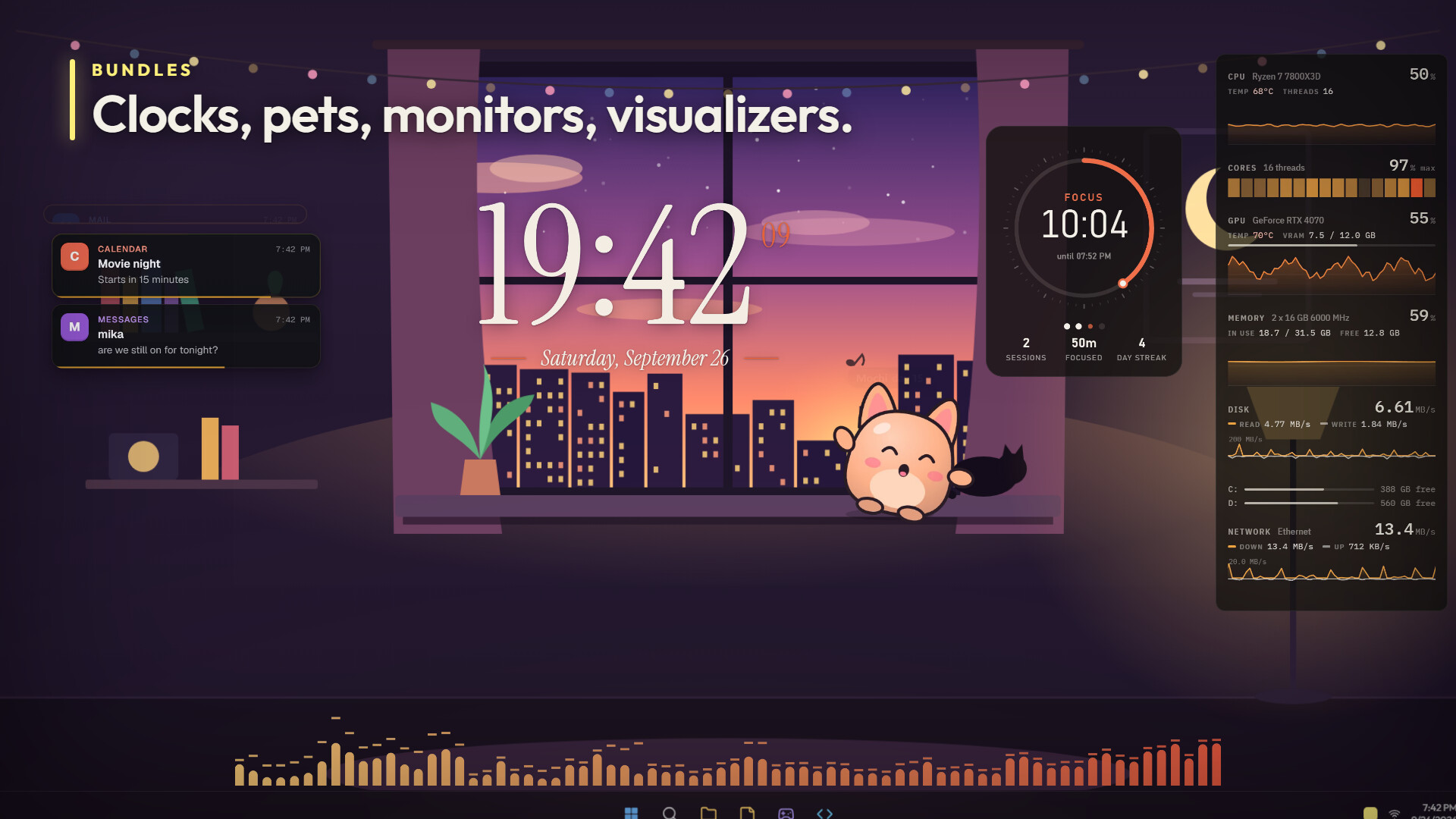
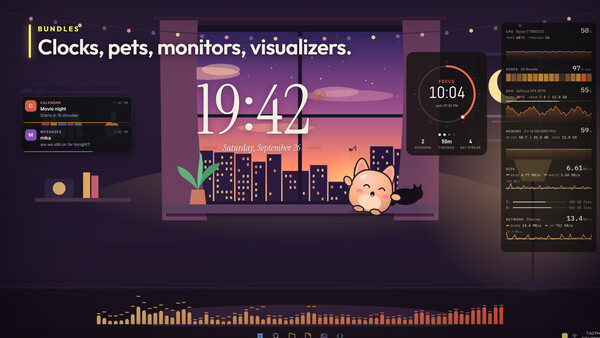
Ready-made bundles you can grab, drop on your desktop and tune from their own settings panel.- Desktop Clock: five faces. Editorial sets the time big in serif with the date between two rules. Or go Analog with a sweeping second hand, a Word clock that lights up its letters, Flip tiles, or a tall Stacked poster. Add other time zones as small clocks next to it.
- System Monitor: live graphs for CPU, GPU, memory, disk and network, a per-core load strip, GPU temperature and VRAM, and a bar for every drive's free space. Stack it down the side of your screen, run it as a thin Bar, or shrink it to a Compact readout. It shifts toward a hot color as temperatures climb.
- Focus Timer: a Pomodoro timer as a Ring, a Bar or Text only. Start, pause and skip with global hotkeys without leaving what you're doing. Session dots, today's sessions and focus time, and a day streak. Close the app and it keeps counting.
- Notification Feed: your Windows notifications, restyled as Cards, Compact lines or Chat bubbles. They stay on top of a fullscreen game. Hide the apps that won't stop pinging.
And Mochi. A little round desk pet whose eyes follow your cursor. Hover over it and it blushes. Rub your cursor back and forth and it spills hearts. Leave it alone and it naps. Play music and it dances. Hit Feed and it catches a cookie. Press a hotkey and it waves. Let it roam and it walks along the bottom of your screen.
Your cursor, but louder
Ten effects, and every one moves on its own in the Cursor tab before you pick it.- Ribbon trail: Neon, Solid or Twin strands, swelling as you move faster.
- Sparkles: stars, sparks, hearts, diamonds or dots that float up, fall or hover.
- Ripples: Water, Sonar or Outline rings with a splash flash.
- Bubbles: soap bubbles with a rainbow sheen that pop into droplets.
- Comet: a blazing head chasing your cursor with a long tail and embers.
- Lightning: forked bolts crackling off the cursor, with an arc trail.
- Smoke: wisps of Smoke, Ink or Steam curling away.
- Fireflies: a blinking swarm that follows, orbits or roams. Make them blink in sync.
- Pixel dust: 8-bit pixels in Handheld green, CGA or Monochrome.
- Confetti: Party, Pastel or Gold and silver, flying off when you move fast.
Every effect gets color, size, amount and opacity. Pick a color or go full Rainbow. Then each one has its own knobs: tail width, bolt length, turbulence, float speed, gravity, flutter.
Jump into a game that hides the cursor and the effect hides with it. No sparkles stuck mid-screen during a match.
Build your own
No code? Hit Create bundle, pick files from your library, done. It's a shareable overlay.Write code? Overlays are plain HTML, CSS and JavaScript running in a sandbox, with an API for live audio, now playing, CPU, RAM, GPU, disk and network stats, Windows notifications, the focused window and global hotkeys. Declare some options and the app builds the settings panel for you. Point developer mode at a folder and every save hot-reloads on screen.
Every bundle asks before it touches anything. You see exactly what it wants on a permission screen and you decide.
The Workshop is wide open
Browse, subscribe and publish without leaving the app. The Workshop is young and small, which means the overlay you make this weekend could be the one everybody grabs. Come build it.The small stuff
- Lives in your tray and launches with Windows, so your desktop is ready the second you sign in
- Light on memory
- Drag overlays from one monitor to the next
- Discord Rich Presence
Системные требования
WINDOWS:
Минимальные:
- ОС: Windows 10
- Процессор: Intel Pentium Gold G5400 / AMD Athlon 3000G or equivalent
- Оперативная память: 150 MB ОЗУ
- Место на диске: 2 GB
Рекомендованные:
- ОС: Windows 11
- Процессор: Intel Core i5-6400 / AMD Ryzen 3 1200 or equivalent
- Оперативная память: 350 MB ОЗУ
- Сеть: Широкополосное подключение к интернету
- Место на диске: 4 GB