
Celas Studio



Description
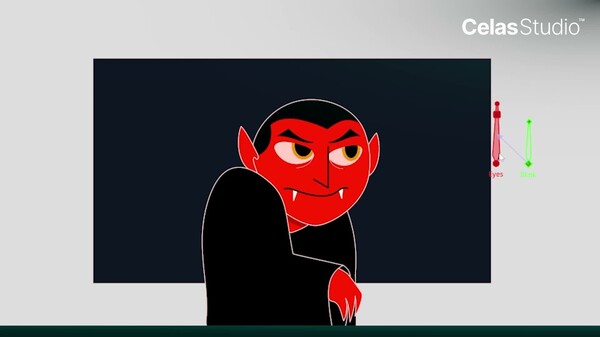
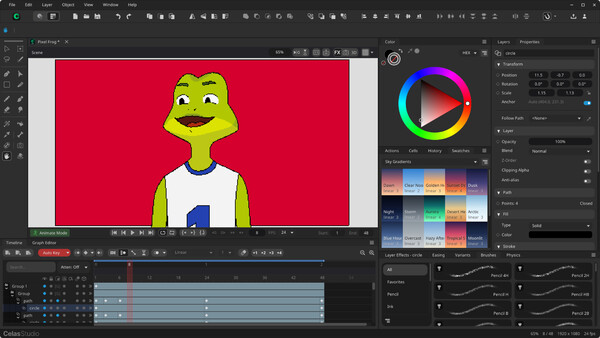
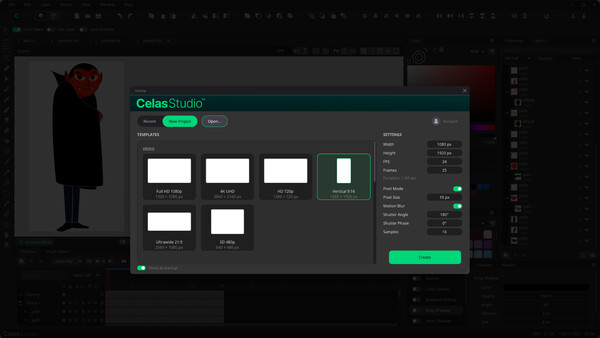
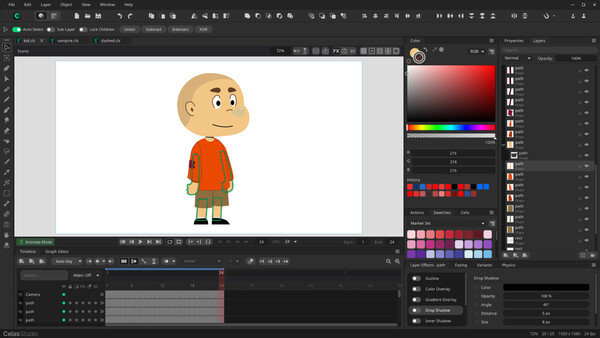
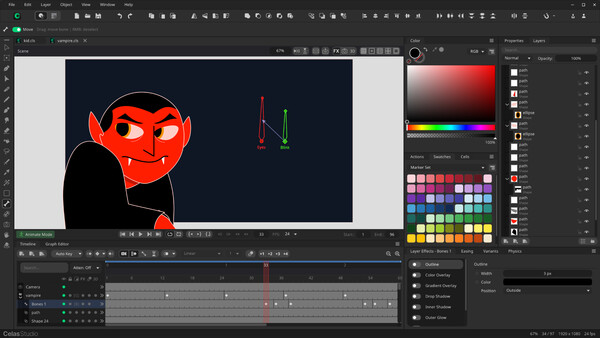
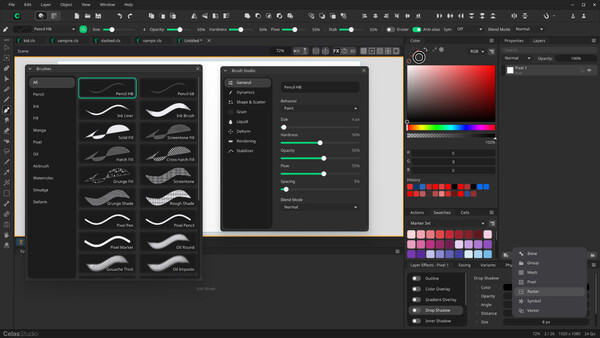
Celas Studio is a 2D vector animation studio where you draw, rig, and animate — all in one place. Expressive drawing tools, a real bone system, and a keyframe timeline sit side by side, so an idea can go from a blank canvas to a finished shot without ever leaving the app.
DRAW FREELY
Draw with a precise vector pen built for illustration. Every point can be sharp, smooth, or free, so your curves land exactly where you want them. Give lines character with tapered, pressure-sensitive strokes, break them into dashes, and use expose to have a line draw itself on, stroke by stroke.
RIG WITH REAL BONES
Build a skeleton over your art and pose it in seconds. Action Bones remember corrective shapes, so elbows, knees, and mouths keep their form at every angle instead of pinching. Switch on bone dynamics and tails, hair, and cloth follow through on their own. Layer effects — blur, glow, shadow and more — stack on any layer without ever changing your original art.
BRING YOUR SCENE TO LIFE
- Vector animation — keyframe position, rotation, scale, and even the shape of your curves
- Frame-by-frame — draw classic hand-drawn animation cell by cell on the same timeline
- Action Bones — rig with smart bones that hold corrective poses and reusable actions
- Bone dynamics & wind — add physics-driven follow-through and a scene-wide wind field for motion that feels alive
- Camera — frame, pan, zoom, and travel through your scene with a fully animated camera
Celas Studio is in Early Access and improving fast. Come in early, help shape it with your feedback, and make something move.
System requirements
WINDOWS:
- Requires a 64-bit processor and operating system
- OS: Windows 10 64-bit (version 1909) or Windows 11
- Processor: Quad-core x64 CPU (Intel Core i5-4460 / AMD Ryzen 3 1200 or better)
- Memory: 8192 MB RAM
- Graphics: OpenGL 3.3 compatible GPU with 1 GB VRAM (Intel HD 4400 / GeForce GT 730 / Radeon R7 240)
- Storage: 1024 MB available space
- Sound Card: Windows-compatible audio device (required for audio track playback)
- Additional Notes: 1920x1080 display. A pressure-sensitive pen tablet (Wintab or Windows Ink) is strongly recommended.
- Requires a 64-bit processor and operating system
- OS: Windows 11 64-bit
- Processor: 8-core CPU with AVX2 (Intel Core i7-10700 / AMD Ryzen 7 5800X or better)
- Memory: 16384 MB RAM
- Graphics: Dedicated GPU with Vulkan 1.2 and 4 GB VRAM (GeForce GTX 1660 / Radeon RX 5600 XT or better). NVIDIA GPU with NVENC for hardware-accelerated video export.
- Storage: 4096 MB available space
- Sound Card: Windows-compatible audio device
- Additional Notes: SSD, 2560x1440 display, and a pen tablet with tilt support.
MACOS:
- OS: macOS 11.0 Big Sur
- Processor: Apple Silicon (M1 or newer). Apple Silicon only — Intel Macs are not supported.
- Memory: 8192 MB RAM
- Graphics: Apple Silicon integrated GPU (OpenGL 3.3 support)
- Storage: 1024 MB available space
- Sound Card: Built-in audio device (required for audio tracks)
- Additional Notes: 1920x1080 display. A pressure-sensitive pen tablet is recommended for drawing. Internet connection required only for account and Artwall features.
- OS: macOS 14.0 Sonoma or newer
- Processor: Apple Silicon M2 / M3 or newer
- Memory: 16384 MB RAM
- Graphics: Apple Silicon integrated GPU (M2 Pro / M3 or newer)
- Storage: 4096 MB available space
- Sound Card: Built-in audio device
- Additional Notes: SSD, 2560x1440 display, and a pen tablet with tilt support. 16 GB+ memory recommended for high-resolution projects and long animations.
Similar games



$11.00
HAELE 3D - Hand Poses Pro - Drawing References
Open
$14.31
HAELE 3D - Portrait Studio Pro - Drawing References
Open
$11.00
HAELE 3D - Feet Poses Pro - Drawing References
Open


$8.19
HAELE 3D - Hand Poses Lite - Drawing References
Open
