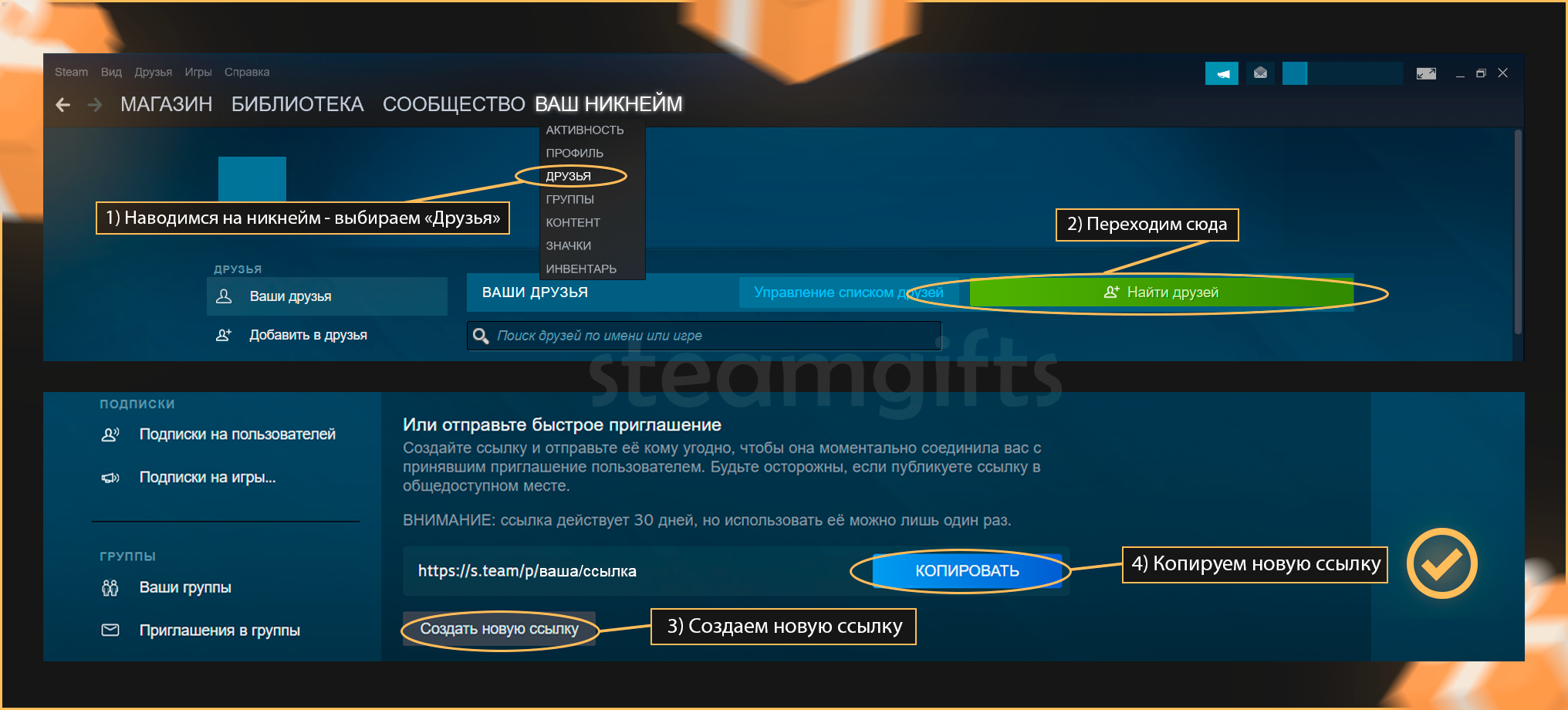
🖥 On PC: in the Steam client, open the “Friends” menu, choose “Add a Friend” and copy your Quick Invite link.
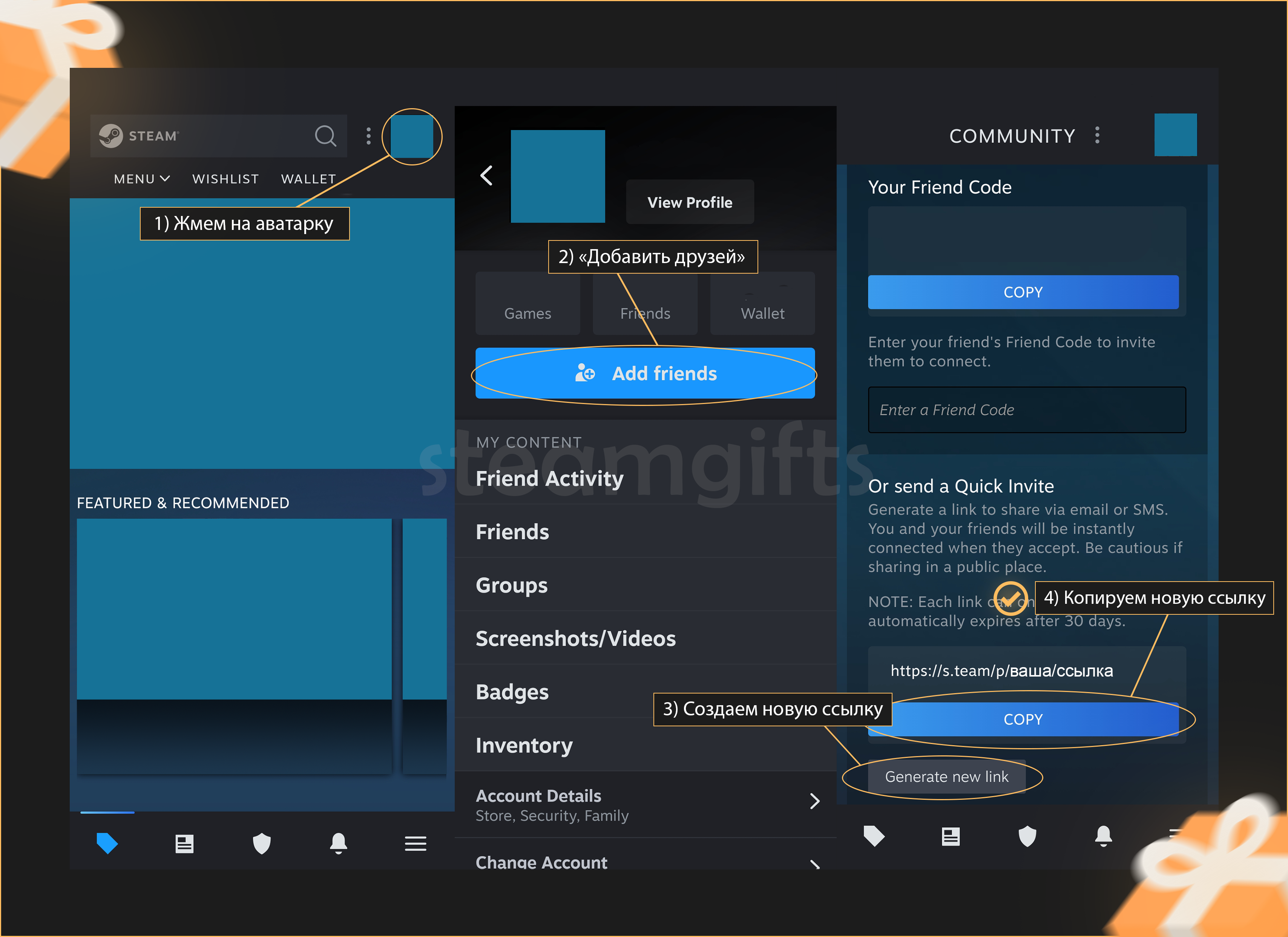
📱 On mobile: in the Steam app, open the “Friends” menu and copy your Quick Invite link.
If you can't find it, you can use your profile link instead. To get it, follow this link and copy your profile link from the address bar.
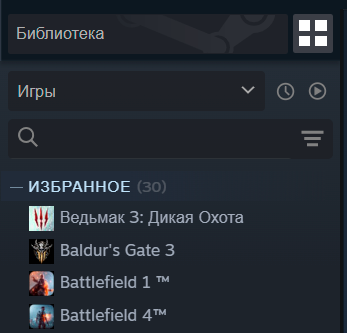
First, select the game you want to refund in your library in the Steam client.
In the menu on the right, select "Support". If you do not have access to the Steam client, you can go to https://help.steampowered.com/en/ and find the game there.
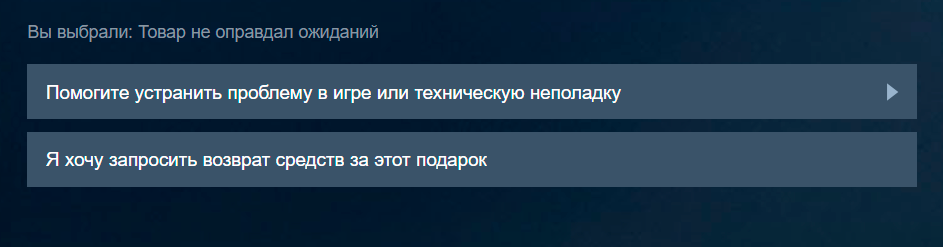
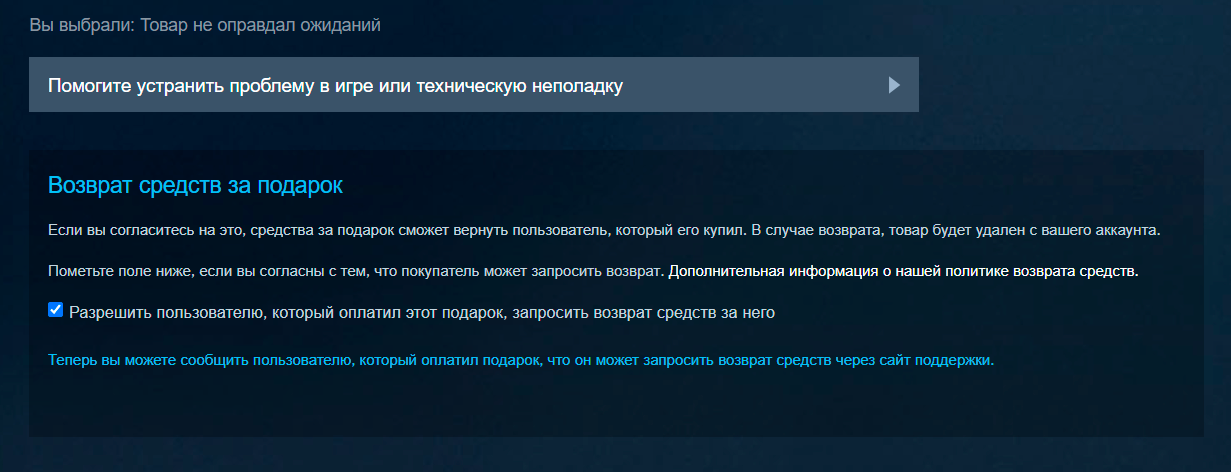
Choose "It wasn't what I expected" or "Gameplay or technical issue", then "I would like to request a refund for this gift".
In the message that appears, tick "Allow the user who paid for this gift to request a refund for it".
Done, that's everything the recipient needs to do.
If you bought from us, go back to the order page, click “Request a refund” and confirm that you have completed these steps. We will request the refund from Steam right away and let you know the decision.