LingoHUD







Description
Read and understand anything on your screen
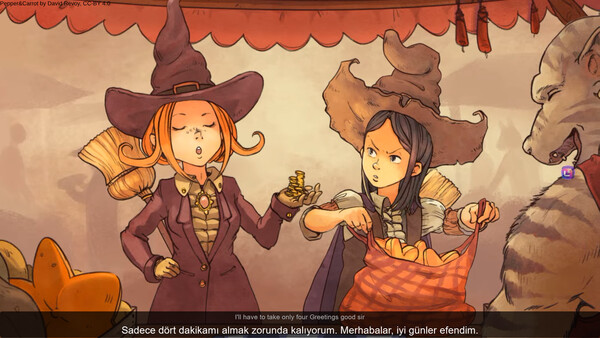
LingoHUD is a translation overlay for Windows. Press a hotkey and the text on your screen — game menus, quests, multiplayer chat, manga bubbles, video subtitles, websites — is translated and drawn right over the original. Turn game or video audio into live translated subtitles, or speak and let LingoHUD type for you in another language.
Everything core runs locally on your PC. No account, no API key, no subscription. Translation runs on your PC; your screen and voice never leave it.
✨ New in 1.2
- Help Center — step-by-step lessons for screen, computer audio and microphone, a guide to every settings section, and causes and fixes for common problems.
- Model Library — installed and downloadable translation and speech models in one place, with size, languages and hardware guidance. Every download is verified.
- Setup assistant — pick what you use LingoHUD for and get suggested settings.
- A more reliable F6 — LingoHUD recovers on its own if a translation stalls, and warns you when a game running as administrator blocks your shortcuts.
- Translations are hidden from recordings, OBS and screen sharing by default — one switch in Settings shows them.
1.1 added Hy-MT2 local AI translation, your own local models, voice typing, publisher captions for streamers, better manga and smoother live subtitles.
📸 Screen translation — F6 and F5
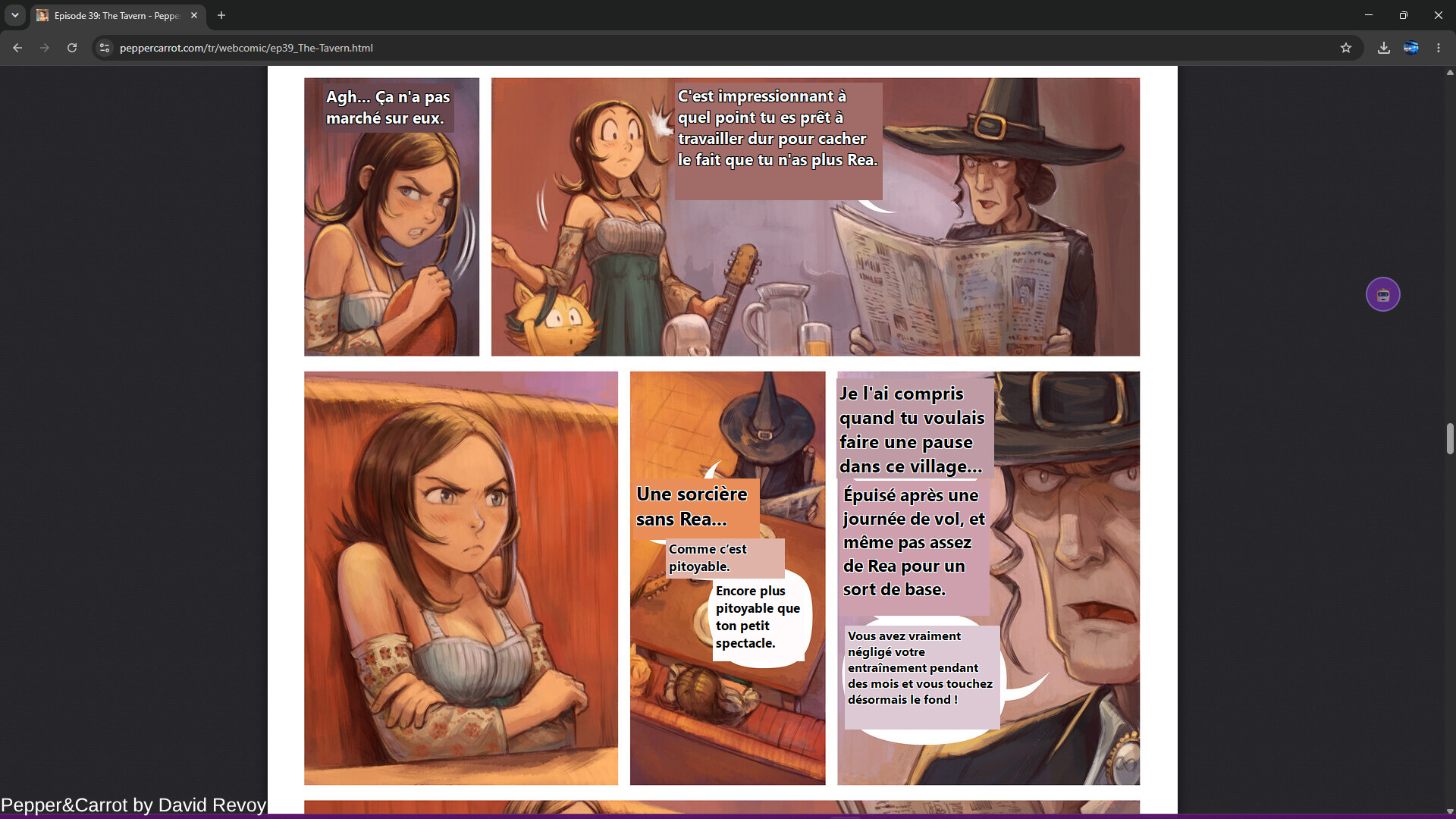
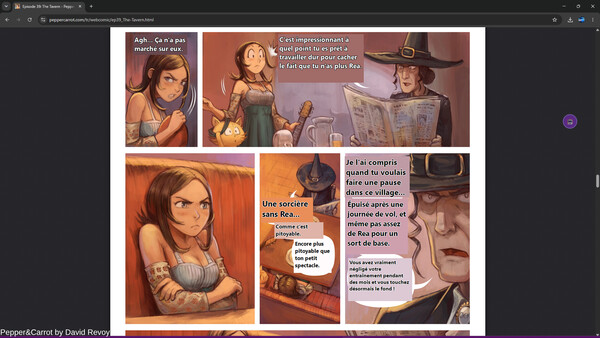
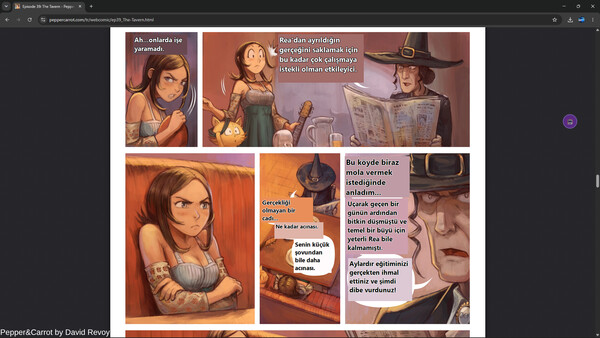
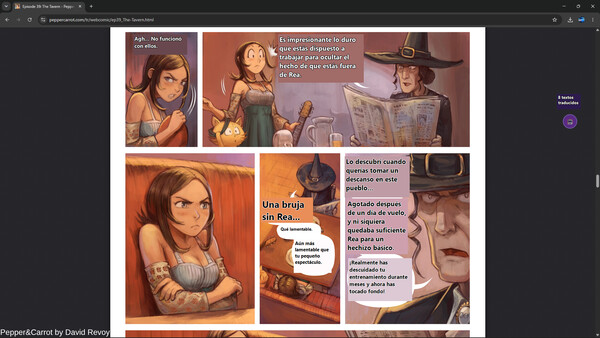
Press F6 to translate the whole screen, or F5 to drag a box around just the part you care about. The text is read with OCR and the translation is placed over the source text, matched to its position.
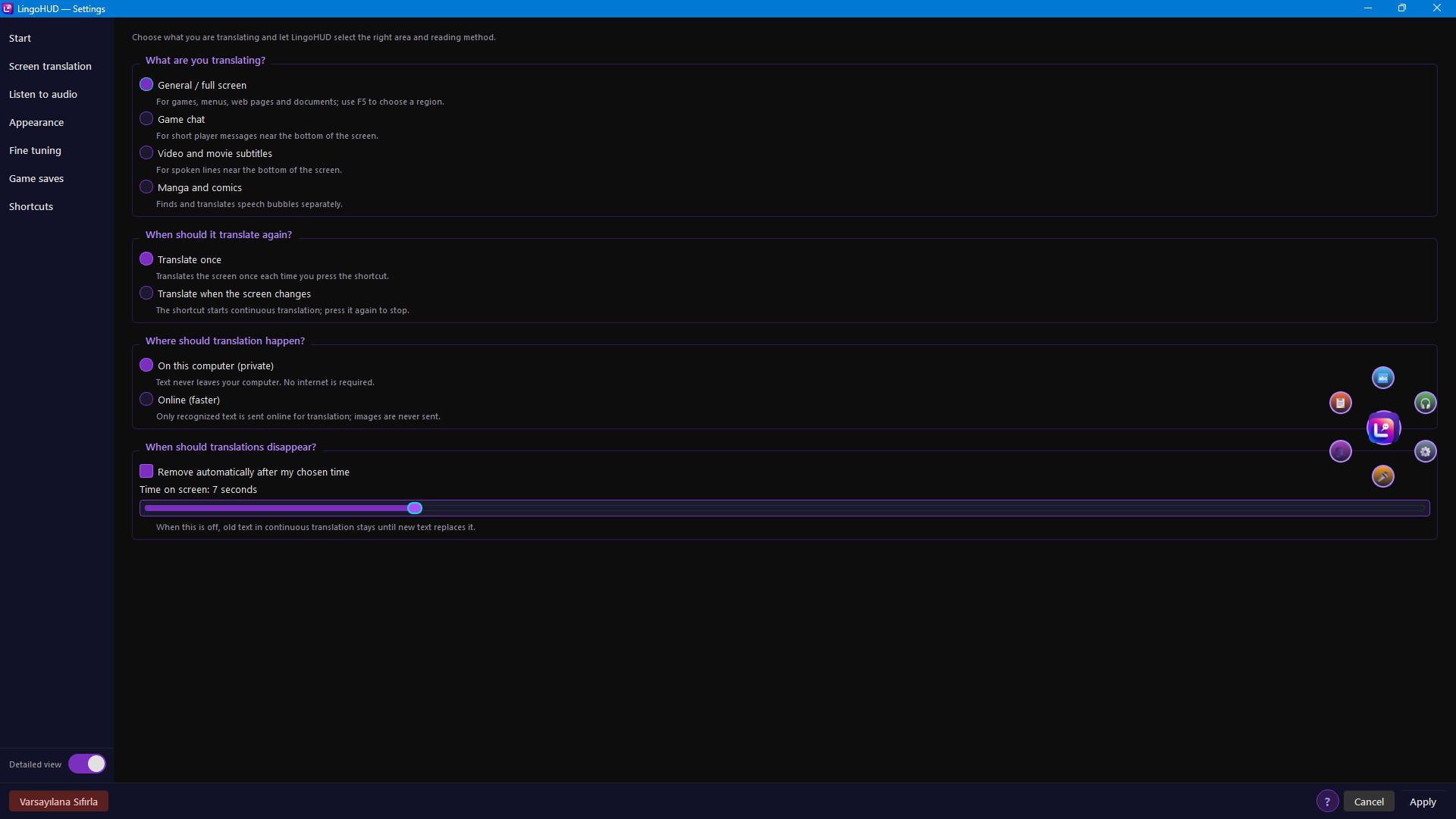
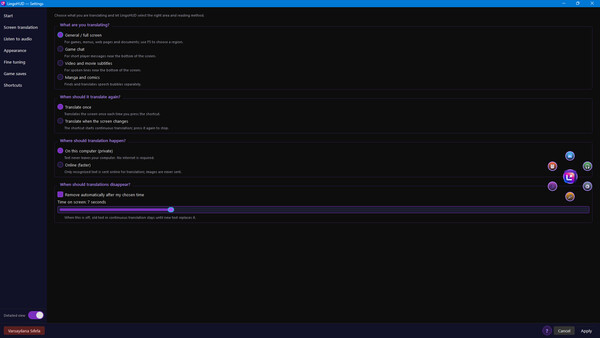
Pick a profile for what you're looking at:
- General — menus, dialogue, quests, websites, apps
- Game Chat — keeps every chat message on its own line, so different players are never merged into one sentence
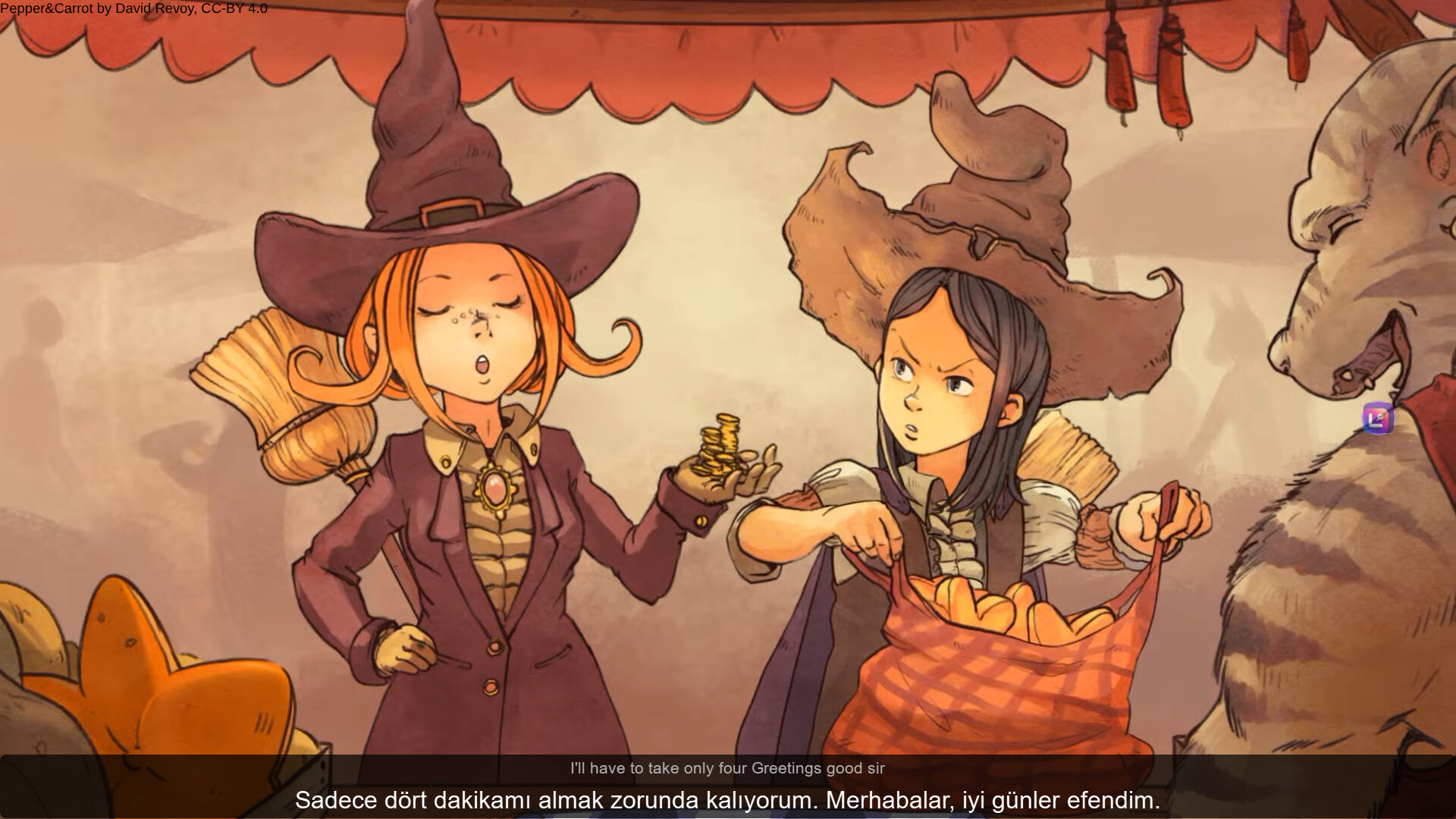
- Video / Subtitle — focused on the subtitle strip at the bottom of the screen
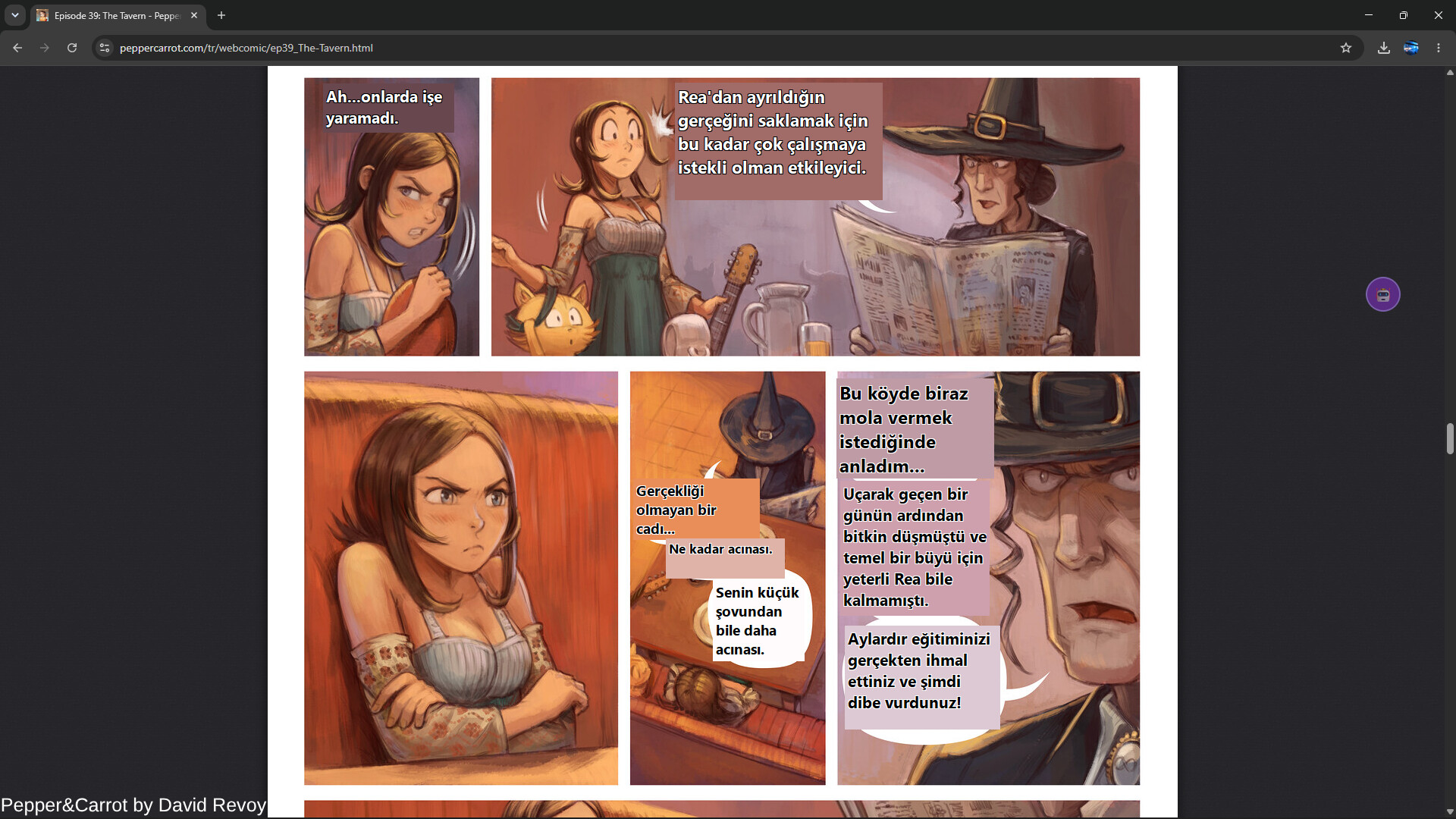
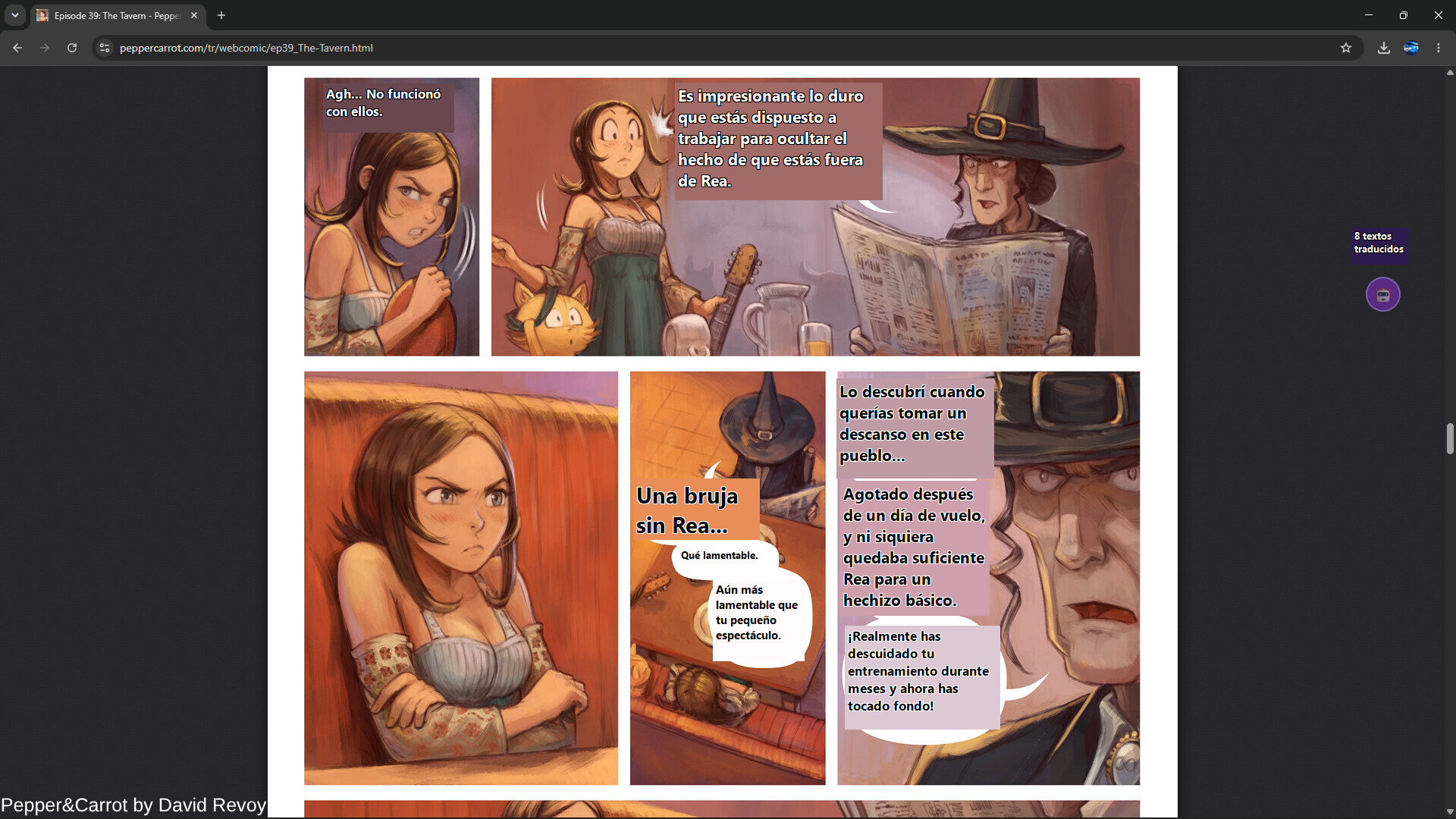
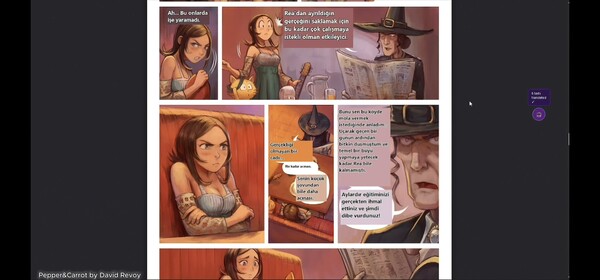
- Manga / Comics — speech bubble detection with a dedicated Japanese manga OCR
The source language can be detected automatically, and Auto / Mixed mode handles screens that mix scripts — English, Russian, Japanese and Chinese side by side in the same chat box. Text that is already in your own language is left alone.
[h3]🔄 Continuous mode[/h3]
Don't want to press a key for every new line? Continuous mode watches the screen: changed text is re-translated, unchanged text stays as it is, and text that disappears is removed. Choose Fast, Balanced or Light scanning to fit your PC and your game.
[h3]📖 Manga and comics[/h3]
The Manga profile finds speech bubbles and narration boxes, reads vertical Japanese with MangaOCR, and covers the original text with clean, readable translations that stay on screen until you turn the page. Partly hidden or cut-off bubbles are skipped instead of guessed.
🎙️ Live audio subtitles — F8
Press F8 and LingoHUD listens to your system audio — games, videos, streams, voice chat. Speech is transcribed with local Whisper models, translated, and shown in a subtitle strip you can move and style. Choose Fast, Balanced or More Accurate recognition, show the original next to the translation, and set position, size and how long lines stay on screen.
⌨️ Voice typing
Hold your push-to-talk key (Right Shift by default, fully remappable), press F9, or click the mic on the floating bubble, then say your sentence. LingoHUD transcribes and translates it, then delivers it where you choose:
- Clipboard — paste it anywhere
- Direct typing — typed into the window you were using. Requires your consent, and LingoHUD never presses Enter for you
- Speak it — read aloud into a virtual microphone so teammates in voice chat hear the translation (needs a virtual audio cable such as VB-CABLE, installed separately)
An optional preview lets you check and edit the text before it goes out. Voice typing only listens when you ask it to — never in the background.
📺 Publisher captions for streamers
Turn on publisher captions and everything you say appears as live, optionally translated subtitles. Add the dedicated LingoHUD OBS window as a Window Capture source, or point a Text source at the caption file. Voice typing and publisher captions are fully independent — use either, both, or neither. Both are off by default.
🧠 Translation engines — your choice
- Hy-MT2 — local AI translation on your PC, 38 languages
- M2M-100 — lightweight local engine for modest PCs
- MADLAD-400 — local backup for languages Hy-MT2 doesn't cover
- Your own local model — a compatible GGUF file, or LM Studio / Ollama on your own machine
Switch engines in one place in Settings. If an engine can't handle a language pair, LingoHUD falls back to a local engine instead of leaving you with nothing.
🧰 More tools
- F10 text translator window and Ctrl+Shift+V clipboard translation
- Video → SRT — create subtitle files from video files
- Smart Box (F12) — quickly target one block of text or one manga bubble
- Floating bubble — one-click access to screen translation, audio, voice typing and settings, with a right-click quick menu. Hide it if you prefer hotkeys
- Every hotkey can be remapped
🌍 Languages
Translate between 105 languages, 86 of which can be read directly from the screen (Latin, Cyrillic, Arabic script, Japanese, Korean, Chinese and more). The app itself is available in 11 languages: English, Türkçe, Deutsch, Français, Español, Português do Brasil, Русский, 日本語, 한국어, 简体中文 and العربية.
🔒 Privacy
- Screen text recognition and speech recognition run on your PC
- No account, no telemetry, no analytics
- Nothing leaves your PC unless you choose to: downloading an optional model, sending feedback, or using the online voice for read-aloud
- Recognized passwords, API keys and tokens are masked before translation where they can be detected
⚙️ Made to fit your PC
No graphics card required — LingoHUD also runs on the CPU. With an NVIDIA GPU, OCR, speech recognition and translation are accelerated with CUDA. Choose Game Priority, Balanced or Translation Priority, and LingoHUD frees memory from models you aren't using.
⚠️ Good to know
- Use Borderless Window or Windowed mode in games. Some exclusive-fullscreen games hide overlays.
- Machine translation can get meaning or names wrong. Japanese → Turkish is still experimental.
- Very small or heavily stylized fonts are harder to read. Continuous mode is the least mature feature and uses more CPU.
- The first time a model loads can take a few seconds. Everything is slower on CPU-only PCs.
- Speech recognition works best with a clear microphone and little background music.
🚧 Early Access, built solo
LingoHUD is built by one independent developer and updated regularly. Your feedback in the Steam discussions decides what gets improved next.
System requirements
WINDOWS:
- Requires a 64-bit processor and operating system
- OS: Windows 10 64-bit (version 2004 or newer) or Windows 11
- Processor: 64-bit quad-core CPU (Intel Core i5 6th gen / AMD Ryzen 3 or newer)
- Memory: 8 GB RAM
- Graphics: No dedicated GPU required (runs on CPU)
- Storage: 14 GB available space
- Sound Card: Any Windows audio device (only for audio features)
- Additional Notes: For the overlay to appear, run games in Borderless Window or Windowed mode. Without an NVIDIA GPU, translation and speech recognition run on the CPU and are several times slower. Internet is only needed to download optional models and updates; translation itself runs offline.
- Requires a 64-bit processor and operating system
- OS: Windows 11 or Windows 10 64-bit (version 2004 or newer)
- Processor: 6-core CPU (Intel Core i5-10400 / AMD Ryzen 5 3600 or newer)
- Memory: 16 GB RAM
- Graphics: NVIDIA GeForce GTX 1660 Super / RTX 2060 or newer, 6 GB VRAM (CUDA acceleration)
- Storage: 14 GB available space
- Sound Card: Any Windows audio device; a microphone for voice typing
- Additional Notes: An SSD speeds up model loading. With an NVIDIA GPU, OCR, translation and speech recognition run much faster. More RAM lets local AI translation and live subtitles run alongside demanding games.
Similar games


$5.37
Playto: Learn Languages Through Games
Open