
Verto Studio VR




Description
Verto Studio VR Update With Looking Glass Display Support
Version 2.5 With VertoJS has been Released
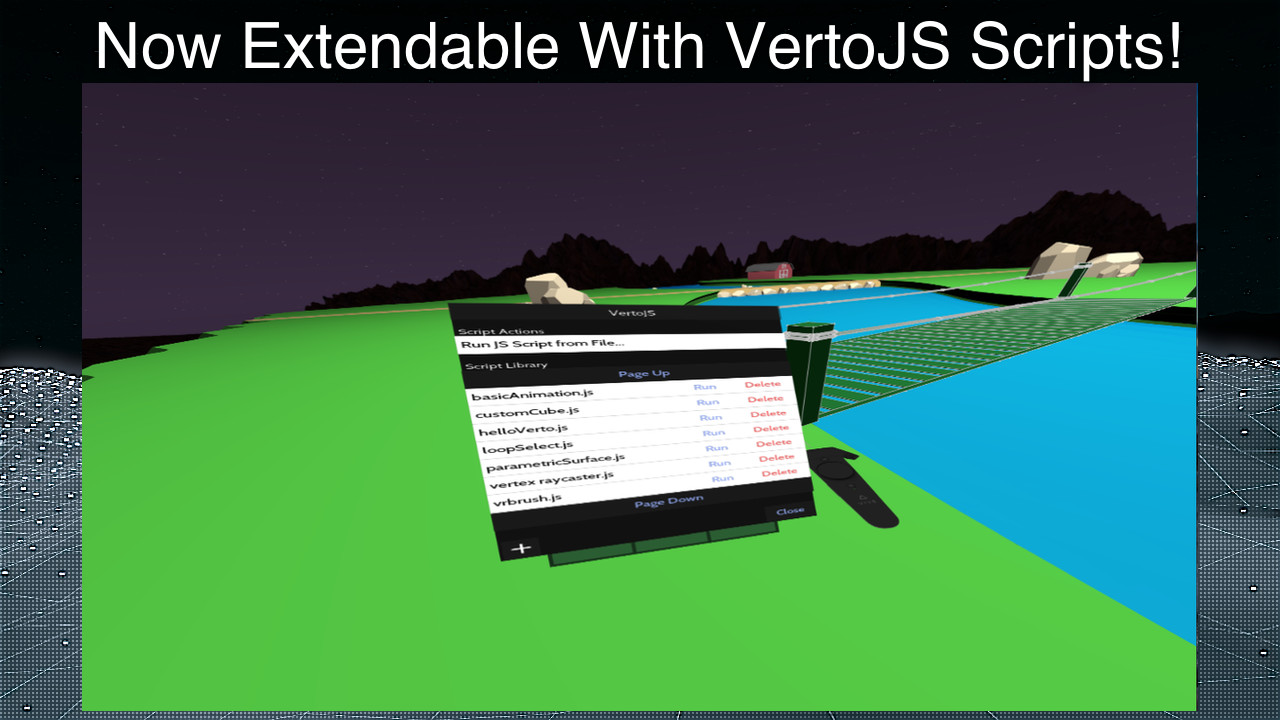
VertoJS scripting support adds programmable features running inside Verto Studio.
This means you can program your own 3D scripts for Verto Studio and run them in VR to do almost anything!
This debut release adds Scene, Camera, Model, Light, Material, Texture, Selection, Animation, VertoStudio classes to VertoJS.
To learn more about VertoJS, tap the VertoJS button in the main library space when launching the app.
Additionally the following changes have been made:
- - This version can now publish scenes to Verto Studio Cloud
- - Fix bugs related to Verto Studio Cloud
- - Added settings option to make dismissal of modal slates more difficult when selecting outside their bounds.
- - Toned down the intensity of the haptic pulse when ray-targeting objects.
- - Haptic pulse (selection feedback) is now off by default.
- - Other bug fixes
About the Software
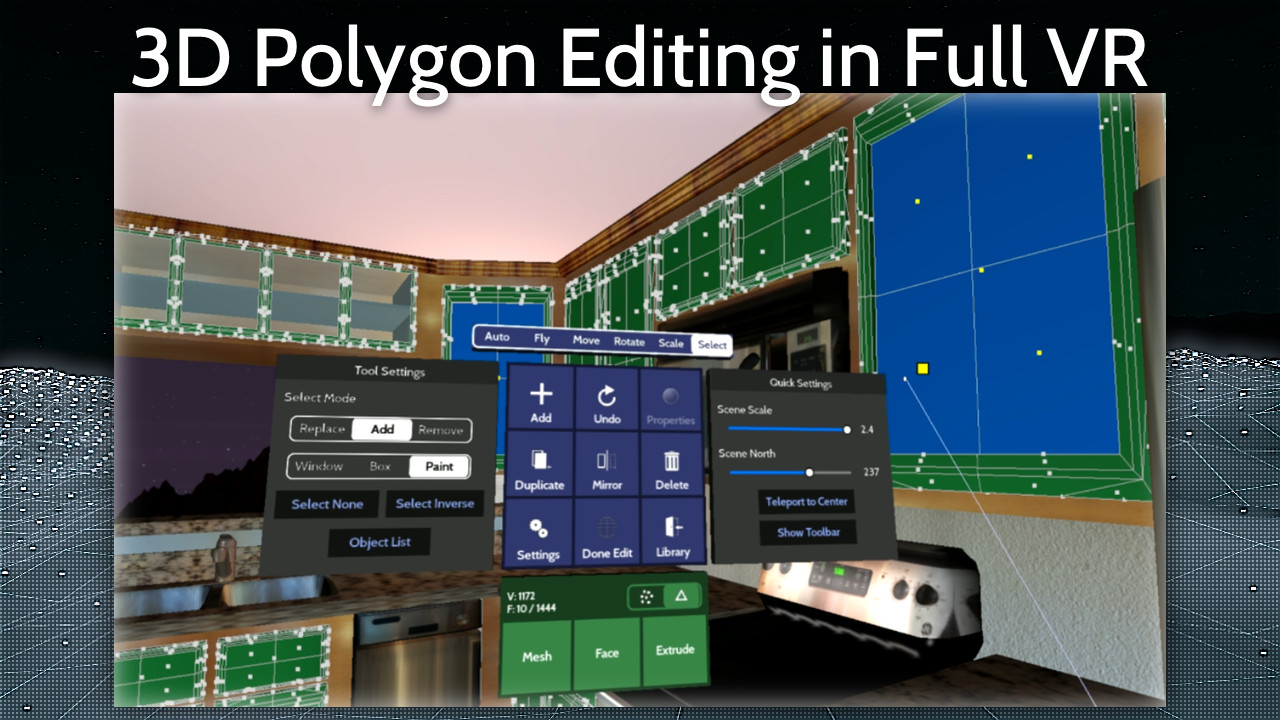
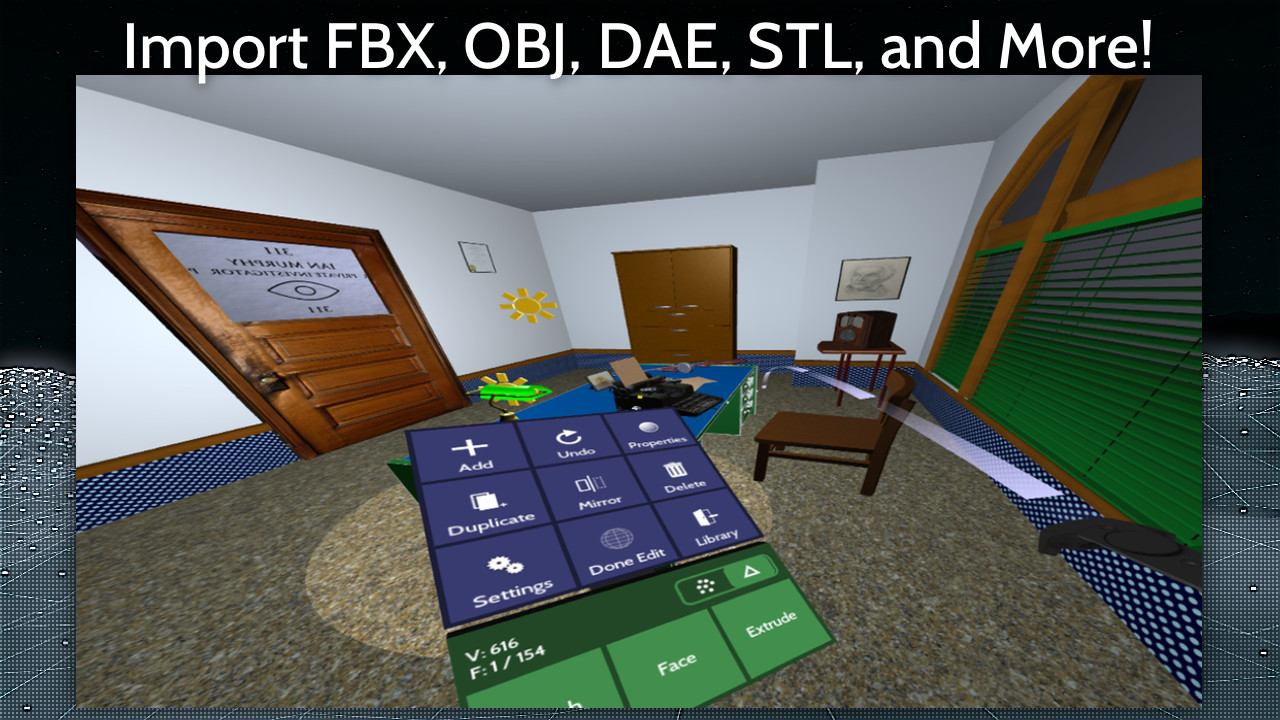
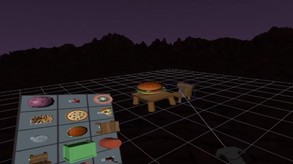
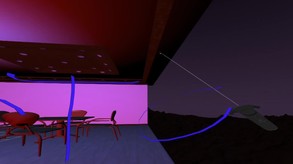
VertoStudio VR is a fully-capable 3D modeling studio designed to run entirely in VR! No mirroring or external software is required of any kind. You can use it to import FBX, OBJ, DAE (and more) directly in front of you, then configure every aspect of the visual display of these scenes directly down to the individual polygons. It also supports a full-scale desktop 3D modeling mode that can run at the same time as the VR mode!
Whether you are mocking up a quick VR workflow, or designing production VR environments, this tool eliminates all of the pipeline complexity involved with getting 3D assets and content into VR quickly. Using Verto Studio, there is no more guesswork in designing for VR. By including a traditional desktop-based 3D modeling mode, artists can move into VR at their own pace, and leverage the benefits of both modes as they navigate their way into this new technology.
Verto Studio VR Features- Create 3D scenes from scratch without the need for external computers or software.
- Prefabs: Plane, Cube, Sphere, Torus, Cylinder, Sketch (draw in 3D), Terrain height map (image based), Text (supports custom ttf fonts)
- Object edit mode: Rotate, Translate, Scale, Select entire objects and manipulate their transforms.
- Includes real-world unit system for editing absolute position and scale of objects in meters.
- Snap to grid, snap to vertex, snap to edge, snap to face
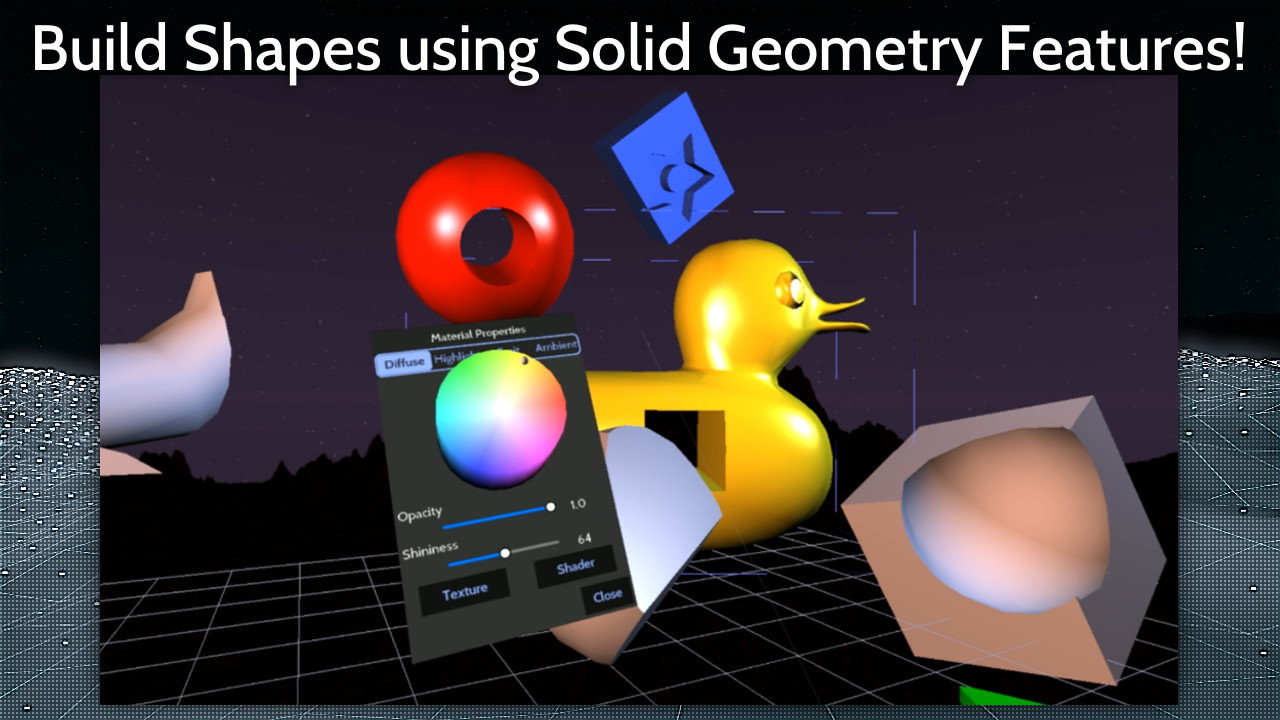
- Low-Poly CSG (Union, Intersect, Subtract, Chisel)
- Complete JS-powered scripting engine to extend Verto Studio with custom modeling/animation/experimental features.
- Live polycount reduction (quadratic mesh simplification),
- UV texcoord editing
- Subdivide
- Mesh smooth
- Vertex weld
- Grabbing objects & polygonal selections via grip buttons.
- Teleport and Fly locomotion support
- VR Skyboxes environments: Includes Blue sky, gray sky, light grey environments (or can be disabled).
- Immersive VR (IVR) scale setting via simple control to easily dial in scale of entire scene.
- Left-handed controller mode.
- Multiple editable lights
- Material editing: Phong, Reflective/refractive environment mapping, Bump mapping, Toon shading
- Runs custom GLSL shaders created in other versions of the app
- File importing: FBX, DAE, OBJ, and more
- File Exporting: OBJ and vsxproj (Verto Studio)
- Concurrent editing features (drop into desktop editor while in VR at the same time).
- Export Verto Studio scenes to cloud drive.
- Full-featured Desktop Mode allowing editing concurrent with VR viewer (two-user mode).
- VR Voice Commands on Windows 10 "Edit", "Select All", "Delete", etc.
- HoloPlay mirroring support for Looking Glass Displays
- Complete file compatibility with the HoloLens, iOS, and Mac versions of Verto Studio 3D
- and more!
- Create 3D scenes from scratch without the need for external computers or software.
System requirements
WINDOWS:
Minimum:
- Requires a 64-bit processor and operating system
- OS *: Windows 7 SP1 x64 or Newer
- Processor: Intel Core i5-4590 equivalent or greater
- Memory: 8 GB RAM
- Graphics: GeForce GTX 970 or AMD Radeon RX 480
- VR Support: SteamVR. Room Scale 2m by 1.5m area required
Recommended:
- Requires a 64-bit processor and operating system
- OS: Windows 10
- Processor: Intel Core i7 4770
- Memory: 16 GB RAM
- Graphics: GTX 980 equivalent
Similar games




63% cheaper than Steam

$10.96
✦+4 bonuses for this purchase
HAELE 3D - Hand Poses Pro - Drawing References
Open


63% cheaper than Steam

$10.96
✦+4 bonuses for this purchase
HAELE 3D - Feet Poses Pro - Drawing References
Open52% cheaper than Steam

$14.25
✦+5 bonuses for this purchase
HAELE 3D - Portrait Studio Pro - Drawing References
Open