
GameUP



Descrição
Stop guessing. Start proving.
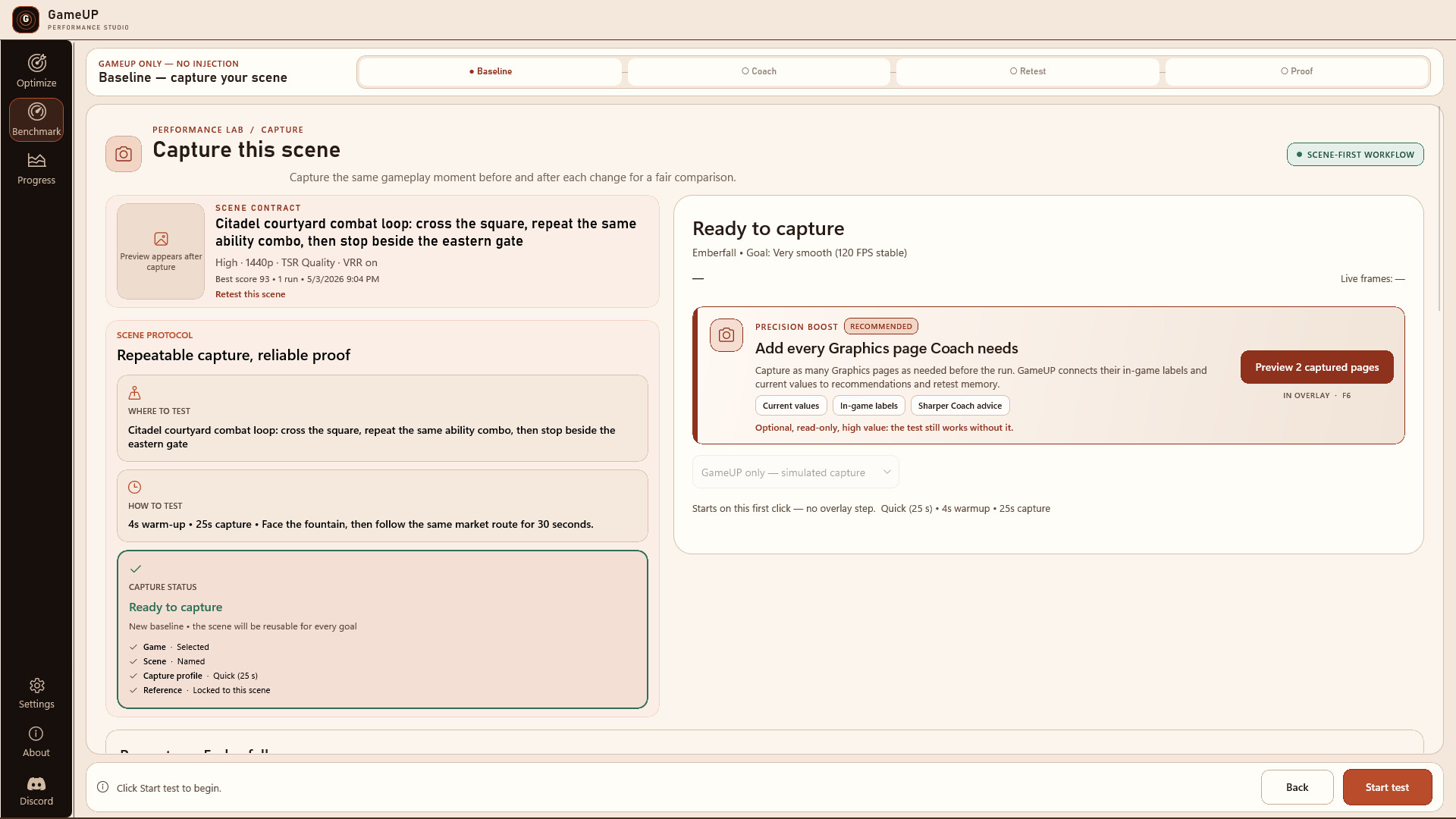
Optimizing a PC game should not mean stacking copied presets and hoping for the best. GameUP turns tuning into a clear, repeatable process based on your game, your hardware, and measurements from your own PC.Choose what a good experience means to you. Capture a repeatable gameplay scene. Let GameUP identify the most useful setting to test next. Change one thing, replay the same scene, and see whether it actually helped.
A guided loop from baseline to proof
- Choose your game and target — aim for a stable 60 FPS, a high-refresh target, or your own custom goal.
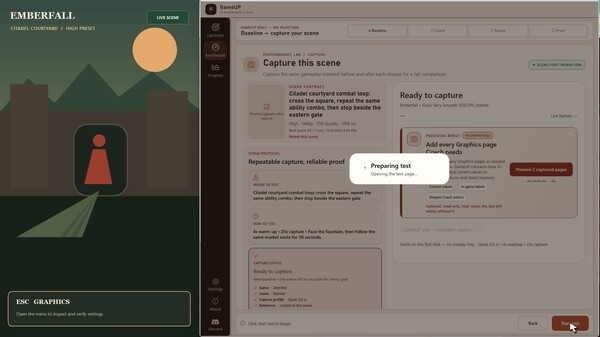
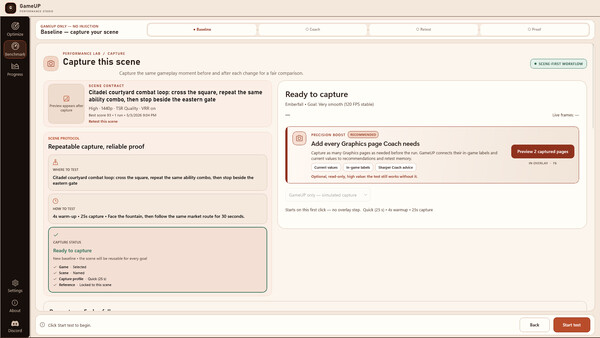
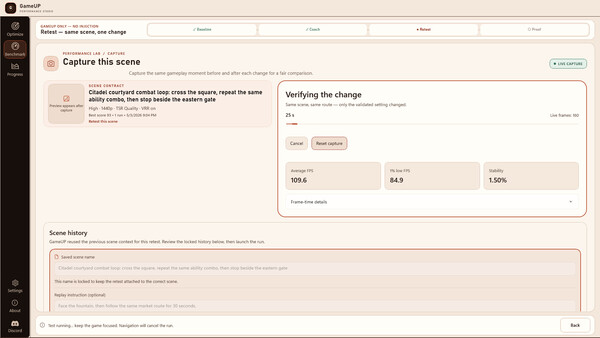
- Define a repeatable scene — record the route, viewpoint, duration, and conditions you will reuse.
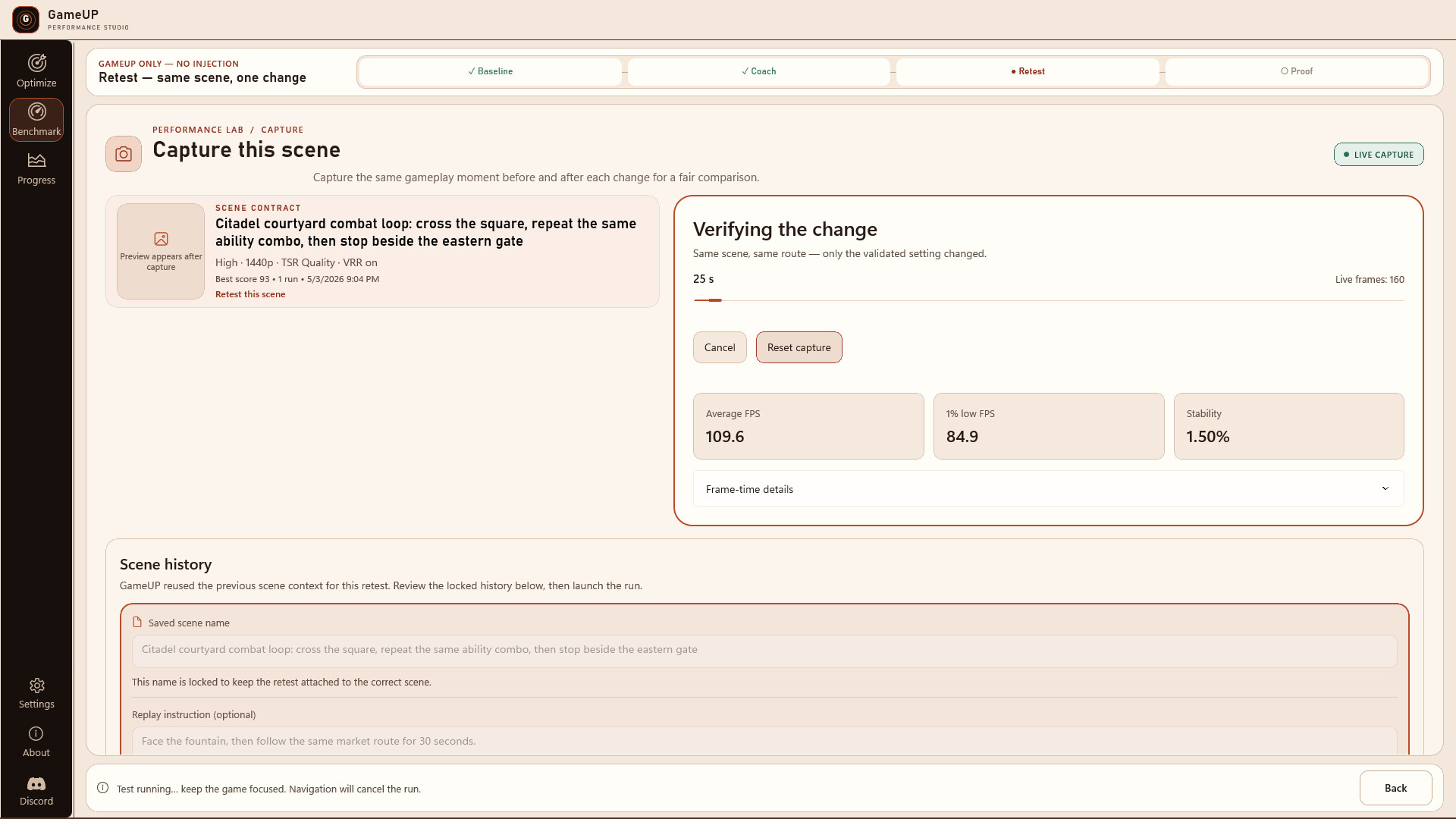
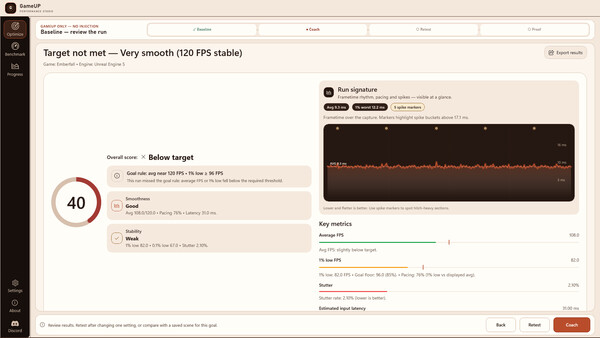
- Capture a clean baseline — warm-up time is excluded from the representative measurement.
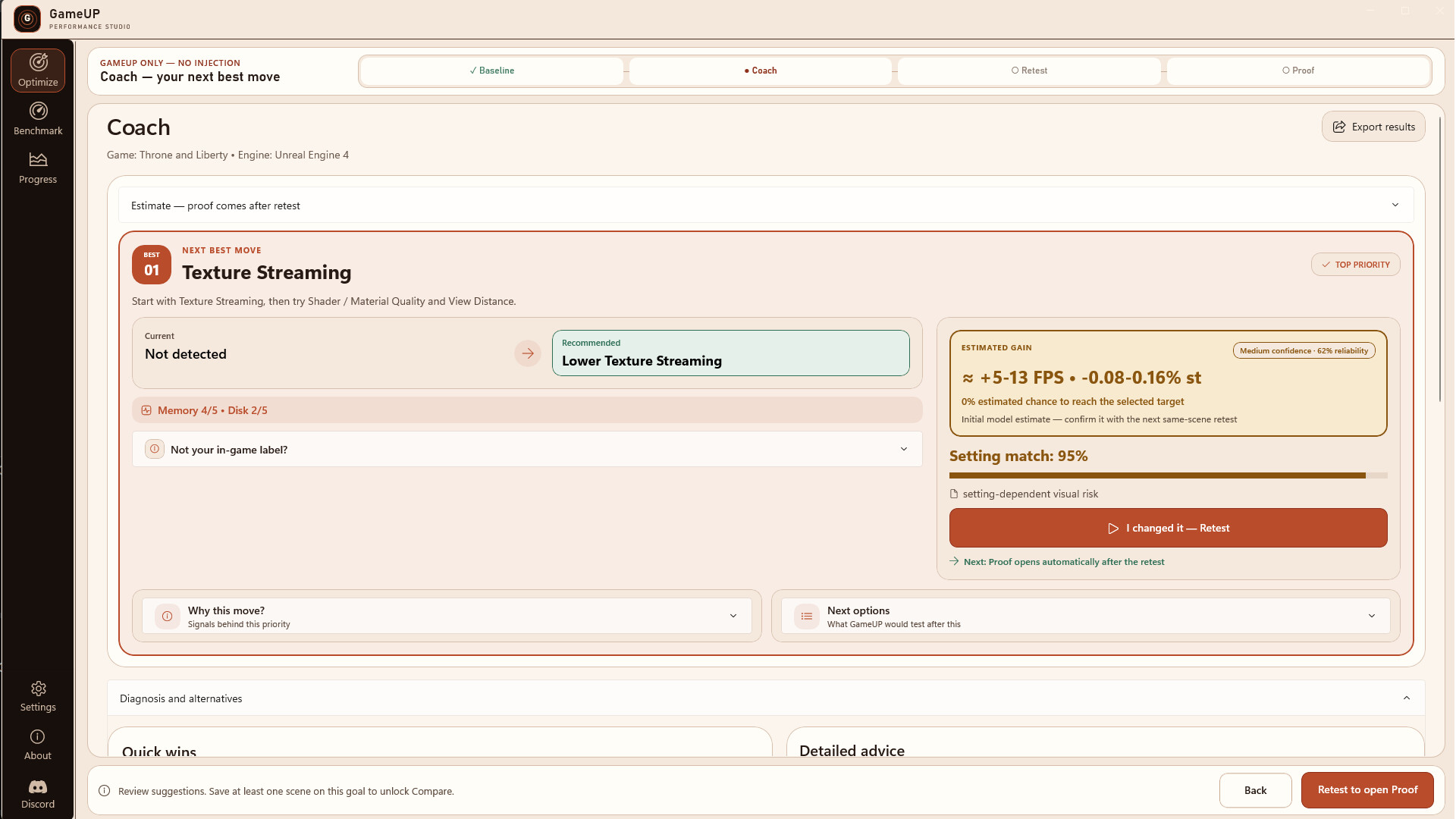
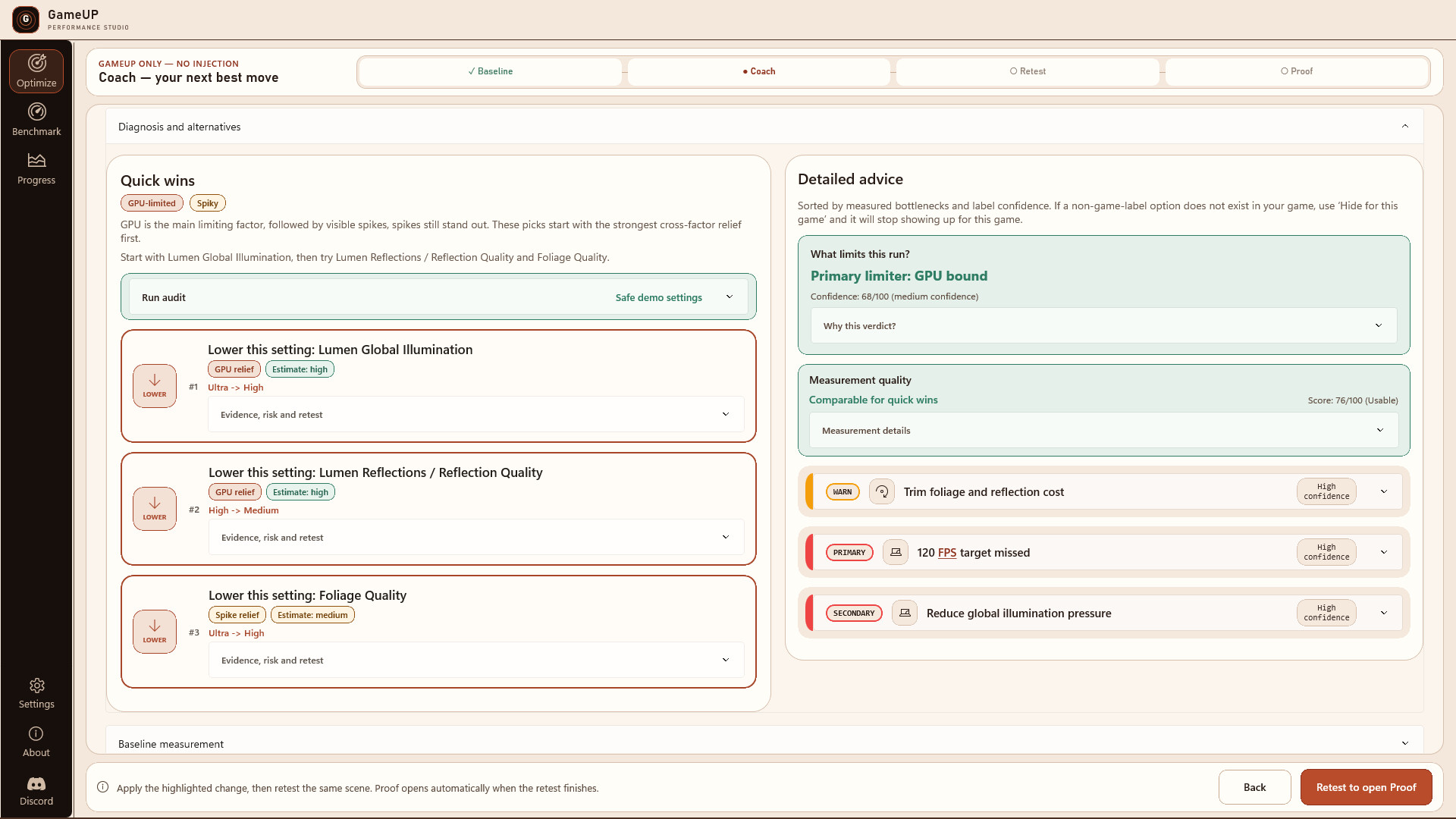
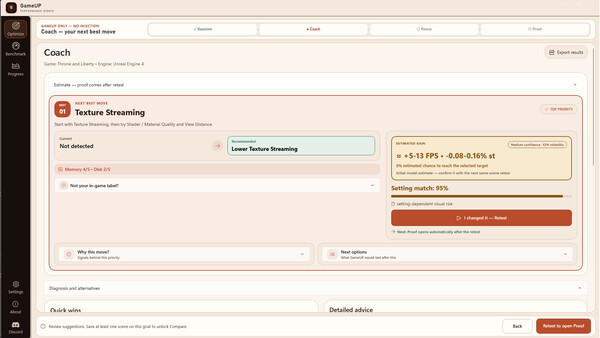
- Get the next setting worth testing — GameUP prioritizes changes using your game, hardware, telemetry, bottlenecks, and supported settings.
- Change one thing — review the current value, recommendation, expected gain, visual cost, confidence, and how to apply it.
- Replay the same scene — compare like with like instead of unrelated moments.
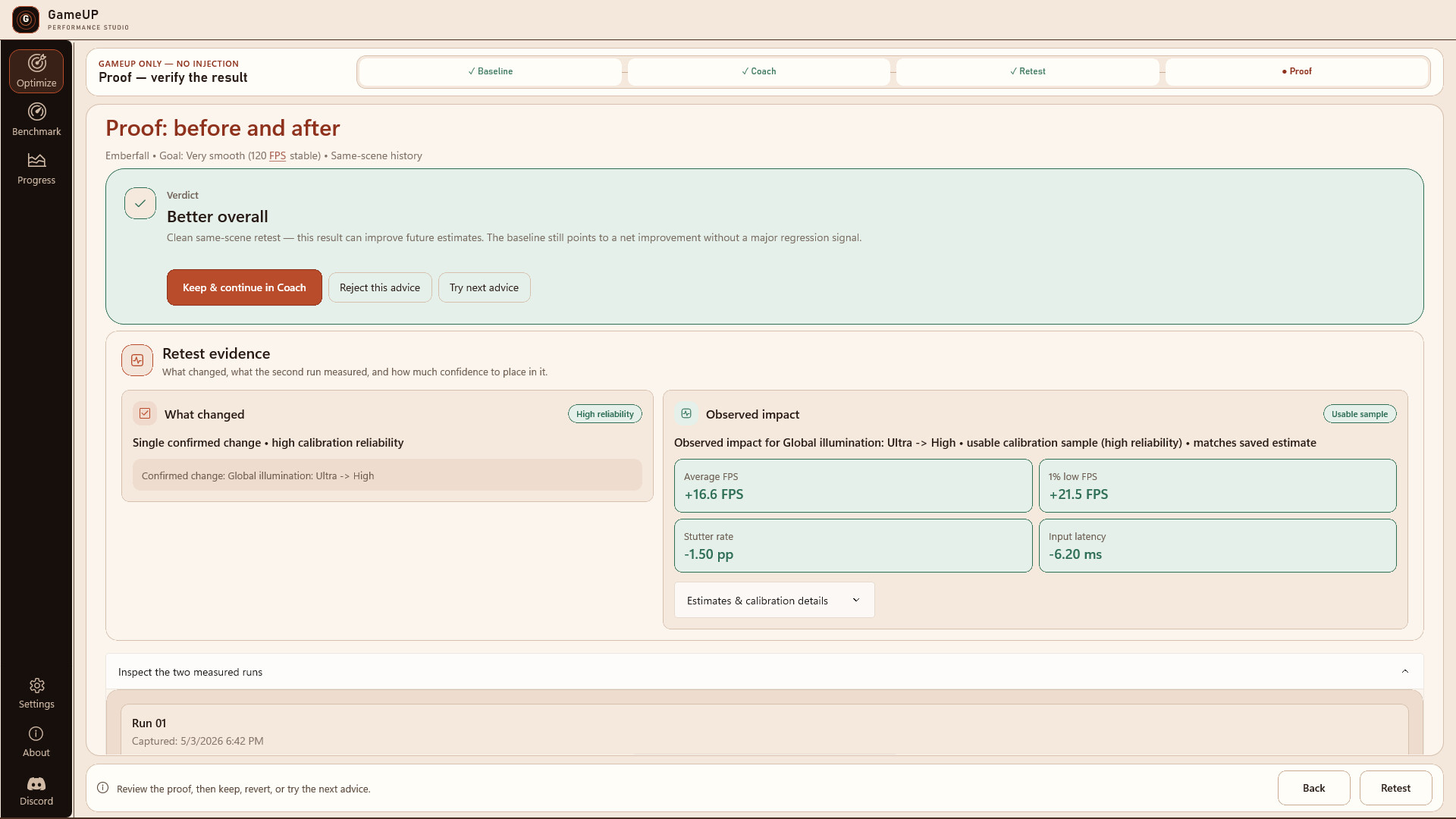
- Read the evidence — keep an improvement, undo a regression, or continue with an updated recommendation.
Guidance focused on what matters
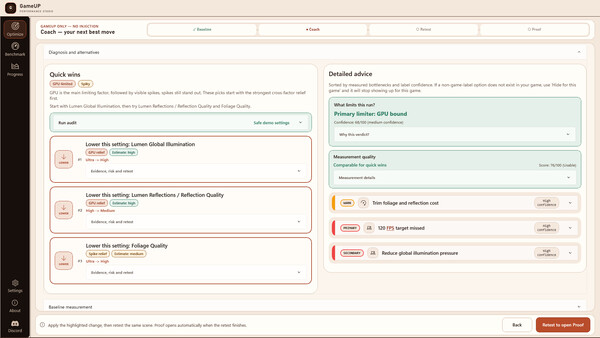
GameUP does not bury you under a generic checklist. It presents the highest-priority action first and explains why it matters. Recommendations can include an exact configuration change when supported, or clear manual instructions. After each verified test, the guidance updates from your new baseline.More than average FPS
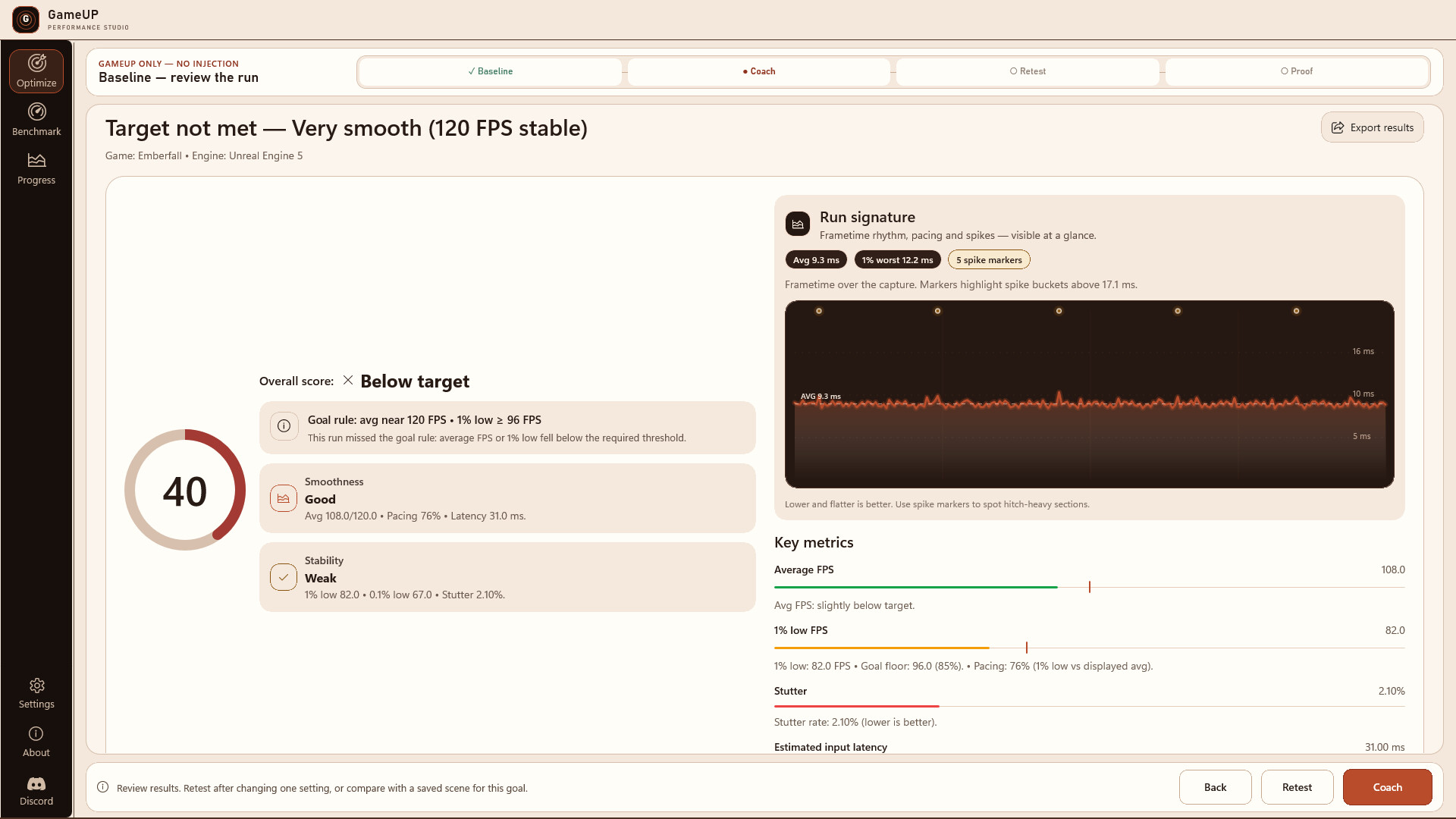
A higher average can still feel worse. GameUP makes smoothness and consistency visible through 1% lows, 0.1% lows, stutter, frame pacing, and latency signals. The before-and-after comparison shows whether a change is better, neutral, or a regression—and the measurements behind that verdict.Useful in-game context
Use the external, read-only overlay to capture snapshots while browsing long graphics menus. GameUP can use the observed labels and values to refine its guidance without changing settings behind your back.Built for repeatable tuning
- Reusable Basic and Advanced scenes.
- A guided Baseline, Coach, Retest, and Proof workflow.
- Prioritized quick wins plus detailed diagnostics.
- Detected settings with confidence and source information.
- Before-and-after charts and per-metric differences.
- A history of tests, verified changes, and exportable evidence.
Transparent by design
The GameUP overlay is external and read-only. It does not inject anything into your game.GameUP does not promise a universal one-click boost. Game support, detection, configuration changes, and telemetry quality vary by title, engine, setup, display mode, and system permissions. Some recommendations require a manual in-game change. A fair comparison also requires replaying a similar scene under similar conditions.
The goal is not to manufacture a prettier number. It is to understand each change, measure it fairly, and keep only what works on your PC.
Free demo and full version
The free demo lets you evaluate measurement, scoring, reproducibility, and the Coach approach at a fixed 60 FPS target. It includes game selection, a baseline measurement, and a comparison/retest path, with only a limited preview of detailed advice. The full version unlocks high-refresh and custom targets, multiple snapshots, detailed guidance, Advanced scenes, and safe configuration changes when supported. Locked features remain visible in the demo so you can see exactly what the full version adds.One setting. Prove it. Keep going.
Requisitos do sistema
WINDOWS:
Минимальные:
- 64-разрядные процессор и операционная система
- ОС: Windows 10 64-bit
- Процессор: Intel Core i5-8400 / AMD Ryzen 5 2600
- Оперативная память: 8 GB ОЗУ
- Видеокарта: DirectX 12 compatible graphics card
- Место на диске: 1 GB
- Звуковая карта: N/A
- Поддержка VR: None
- Дополнительно: GameUP is a Windows performance analysis tool for PC games. A running game is required to use its core benchmarking and optimization features. Results depend on the tested game, graphics settings, drivers, and hardware configuration.
Рекомендованные:
- 64-разрядные процессор и операционная система


