
PitWal





Descrição
Forza tells you that you lost. PitWal tells you why.
PitWal is here to help you get faster, using nothing but your own driving. It reads the telemetry your game already sends and turns it into a clear, friendly picture of what you did and where your time went. No pressure and no lectures. Just your driving, shown to you plainly, so you can see it for yourself and get better.
WHAT PITWAL SHOWS YOU
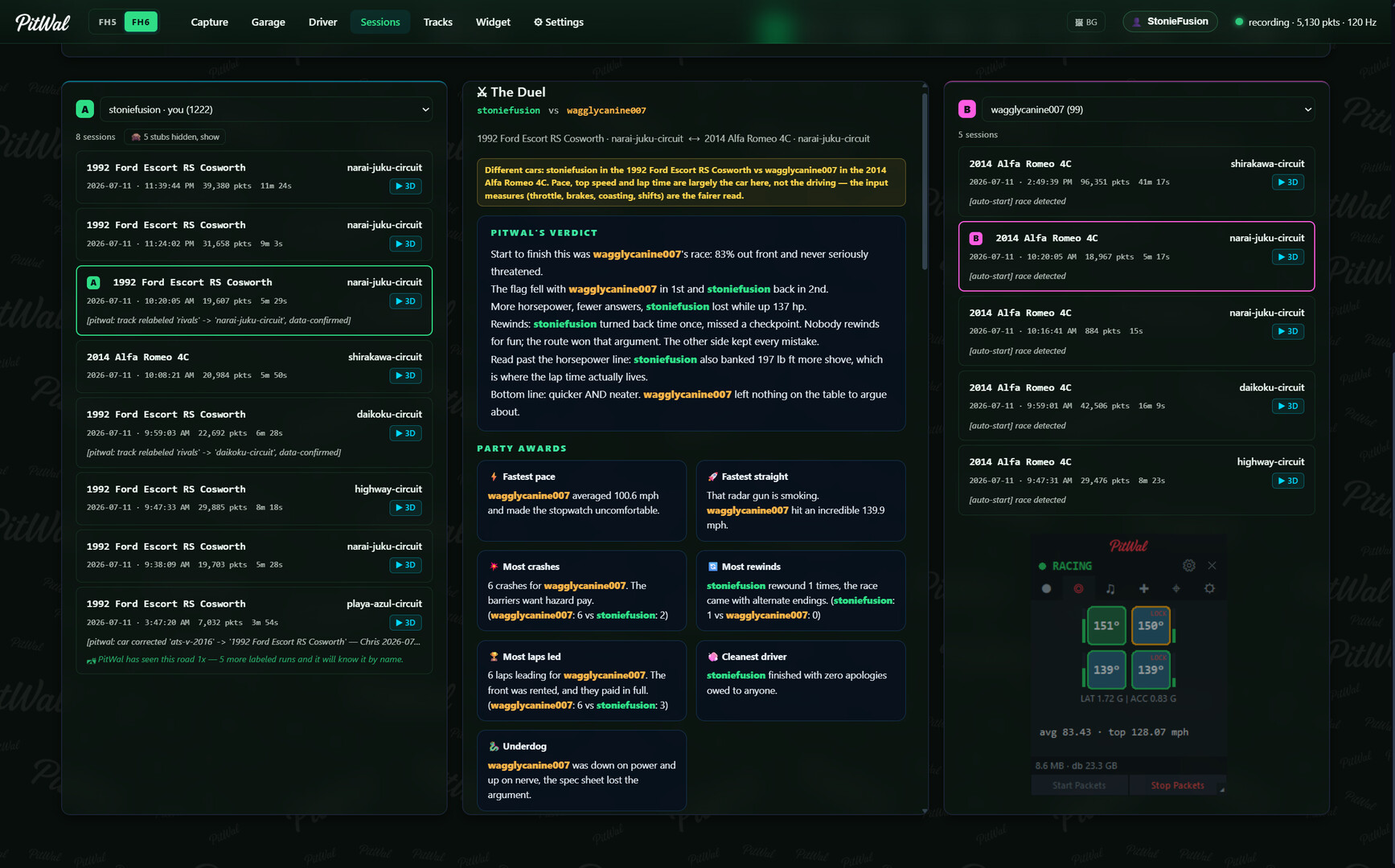
See where you spun the tires. Open the 3D replay of your run and turn on the slip card, and PitWal shows you a slip number for each wheel as you move through the lap. Now you can find the exact spot a tire broke loose under power or locked up under braking, and know what to work on next.
See the power your assists are hiding. Drive a lap with traction control on, then a lap with it off, and PitWal shows you how much power the game quietly takes away when it steps in. That power is yours to take back, and PitWal helps you find it.
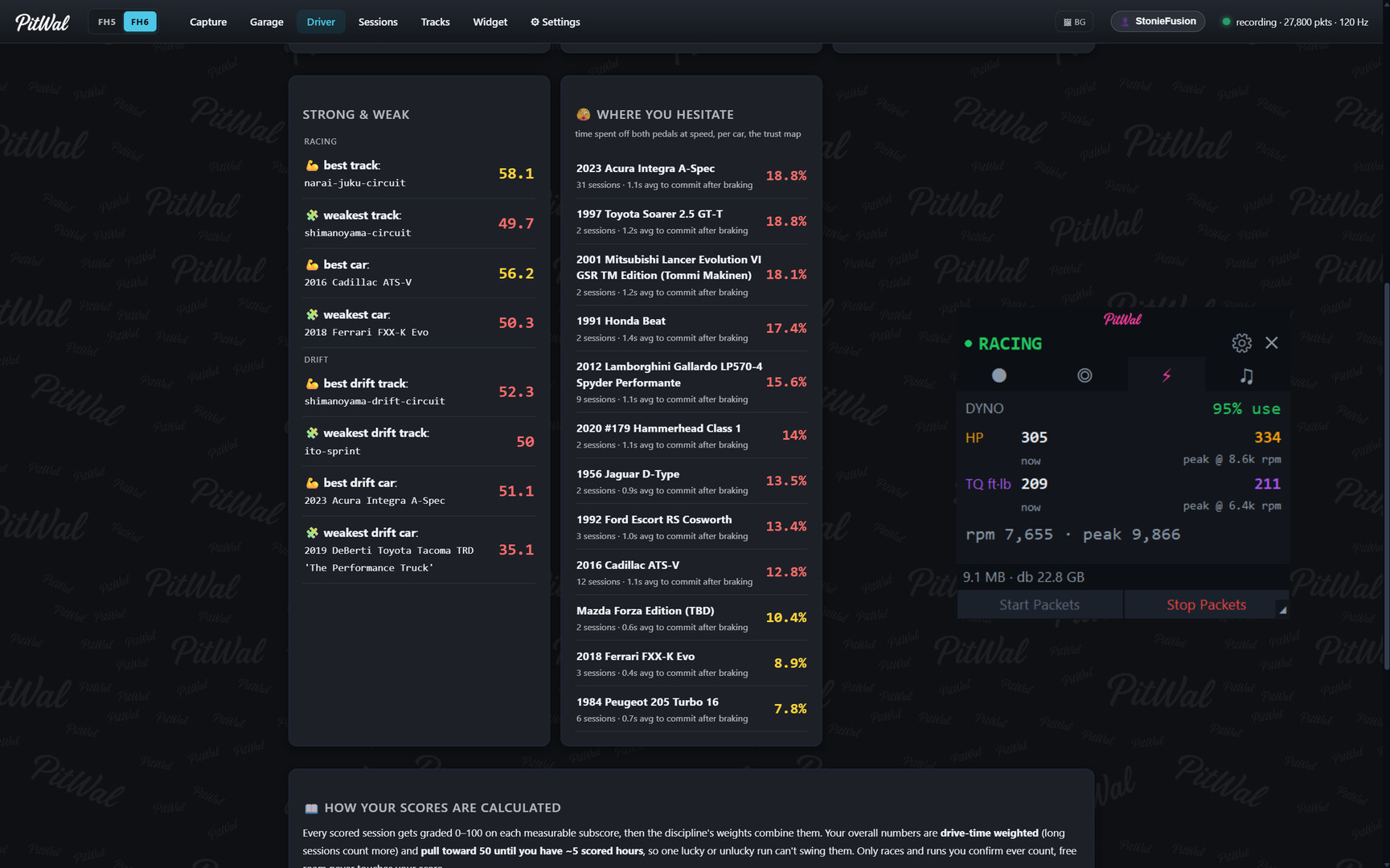
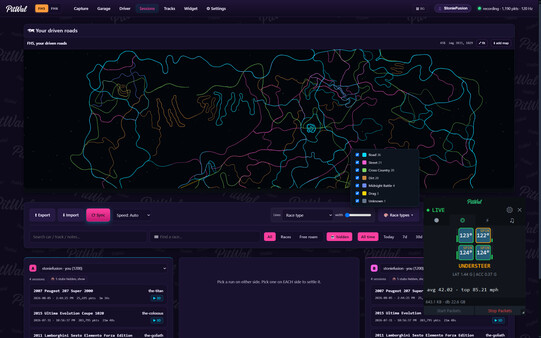
A live overlay that rides along. The PitWal widget sits over your game with live readouts while you drive, including wheelspin, brake lockup, temperature, and suspension compression, in your colors and your layout. Set it up the way you like it.
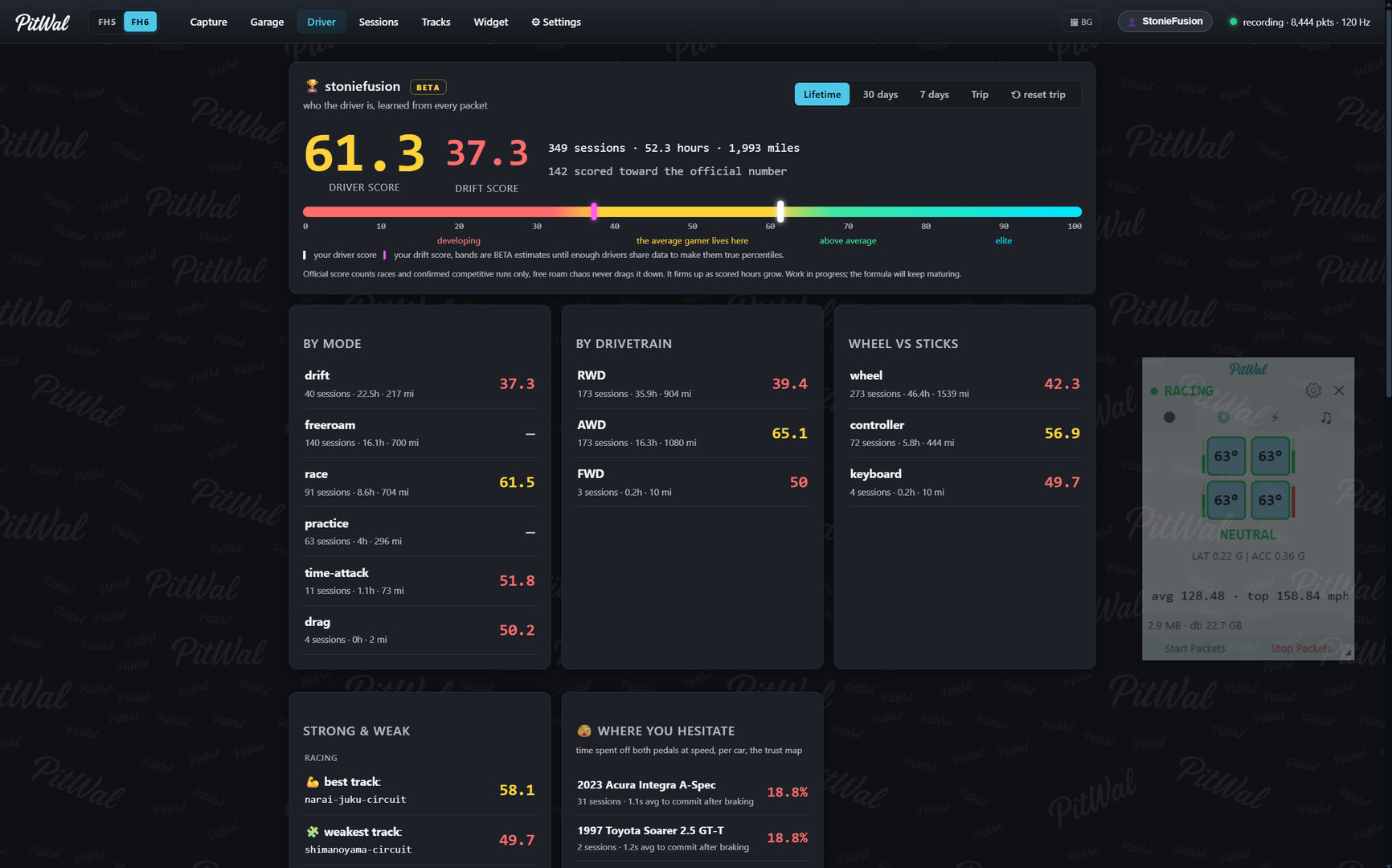
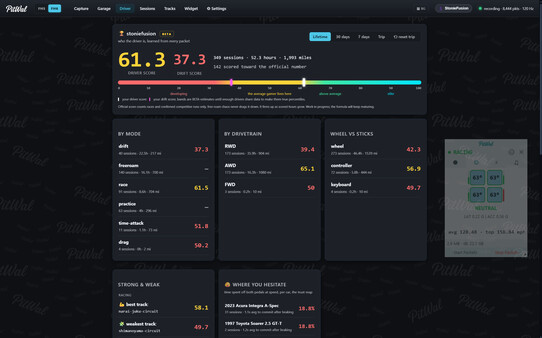
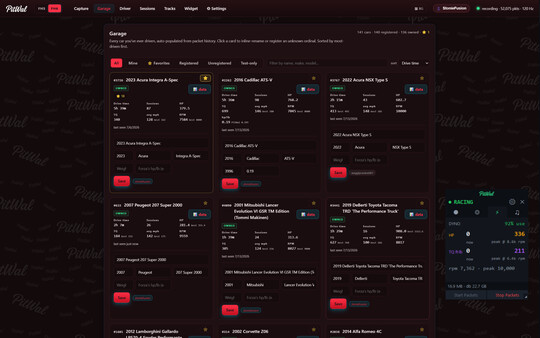
It grows with you. Per car and per track, your stats build up as you drive, so you always have a best lap to chase and a record of how far you have come.
Put your laps side by side. Overlay lap after lap, your own or a friend's, and see exactly where you are quick and where there is time to find.
WHY I MADE PITWAL
I got tired of losing races and not knowing why. Forza tells you that you lost. It does not tell you what you did where you spun the tires, where you lifted too early, where the car had more to give than you were using.
PitWal fixes that. It reads your own telemetry and shows you the truth about how you drive. Your throttle, your wheelspin, your line, your lap. Not just a score. The actual reason.
Here is what I hope you do with it. Drive raw. Turn the assists off and let PitWal show you what the game was quietly doing for you. When I did that, I found out I was on the throttle way more than I thought, and that the power I kept wasting on wheelspin was mine to take back. It made me faster. Not because PitWal drove for me, but because it showed me what I could not see, and I fixed it myself.
That is the whole point. The assists drive the car for you. PitWal shows you exactly what they are doing, so you can learn to do it yourself and stop needing them. I built it to get better, and I hope it does the same for you.
I wanted to get this out sooner, but I didn't want to release trash so I took my time and tried to make it great enough for my first application released to the public.
Thanks for Playin' Thanks for Stayin,
Christian
WHAT YOU NEED
PitWal runs on a Windows PC or laptop. Your game does not have to. Play Forza Horizon 5 or Forza Horizon 6 on your Xbox, your PS5, or your PC, and PitWal reads the telemetry your game already sends out over your home network. You just point Forza's Data Out at the PC or laptop running PitWal, on the same network.
It does not need to be a powerful machine. You can even set an old spare laptop to display only, so it just shows you the live readouts and records nothing, while your main PC keeps the data. Make one machine the dashboard and let another do the recording, or do it all on one. It is up to you.
Everything stays with you. No account, no login, no cloud. PitWal reads the telemetry your game already sends and keeps it all on your own machine. Your driving is yours.
An SSD is best for the machine doing the recording. PitWal writes a lot of telemetry while you drive. Any drive works, but a solid state drive runs smoothest when this is your main capture PC.
Getting started is simple. Turn on Data Out in the game, point it at PitWal, and drive.
PitWal is an independent tool and is not affiliated with, endorsed by, or sponsored by Microsoft or Turn 10 Studios/Playground Games. Forza is a trademark of Microsoft Corporation.
Requisitos do sistema
WINDOWS:
- 64-разрядные процессор и операционная система
- ОС: Windows 10 64 bit
- Процессор: Dual core, Intel Core i3 or AMD Ryzen 3
- Оперативная память: 4 GB ОЗУ
- Видеокарта: Integrated graphics with DirectX 11 (for the UI and 3D replay)
- DirectX: версии 11
- Место на диске: 300 MB
- Звуковая карта: Not required
- Поддержка VR: None (not a VR app)
- 64-разрядные процессор и операционная система
- ОС: Windows 11, 64 bit
- Процессор: Quad core, Intel Core i5 or AMD Ryzen 5 or better
- Оперативная память: 8 GB ОЗУ
- Видеокарта: Dedicated GPU, DirectX 12 capable
- DirectX: версии 11
- Звуковая карта: Not required
- Поддержка VR: None (not a VR app)
Jogos semelhantes


$10.94
HAELE 3D - Feet Poses Pro - Drawing References
Abrir


$8.17
HAELE 3D - Hand Poses Lite - Drawing References
Abrir


$8.17
HAELE 3D - Feet Poses Lite - Drawing References
Abrir


